Steps
- 1
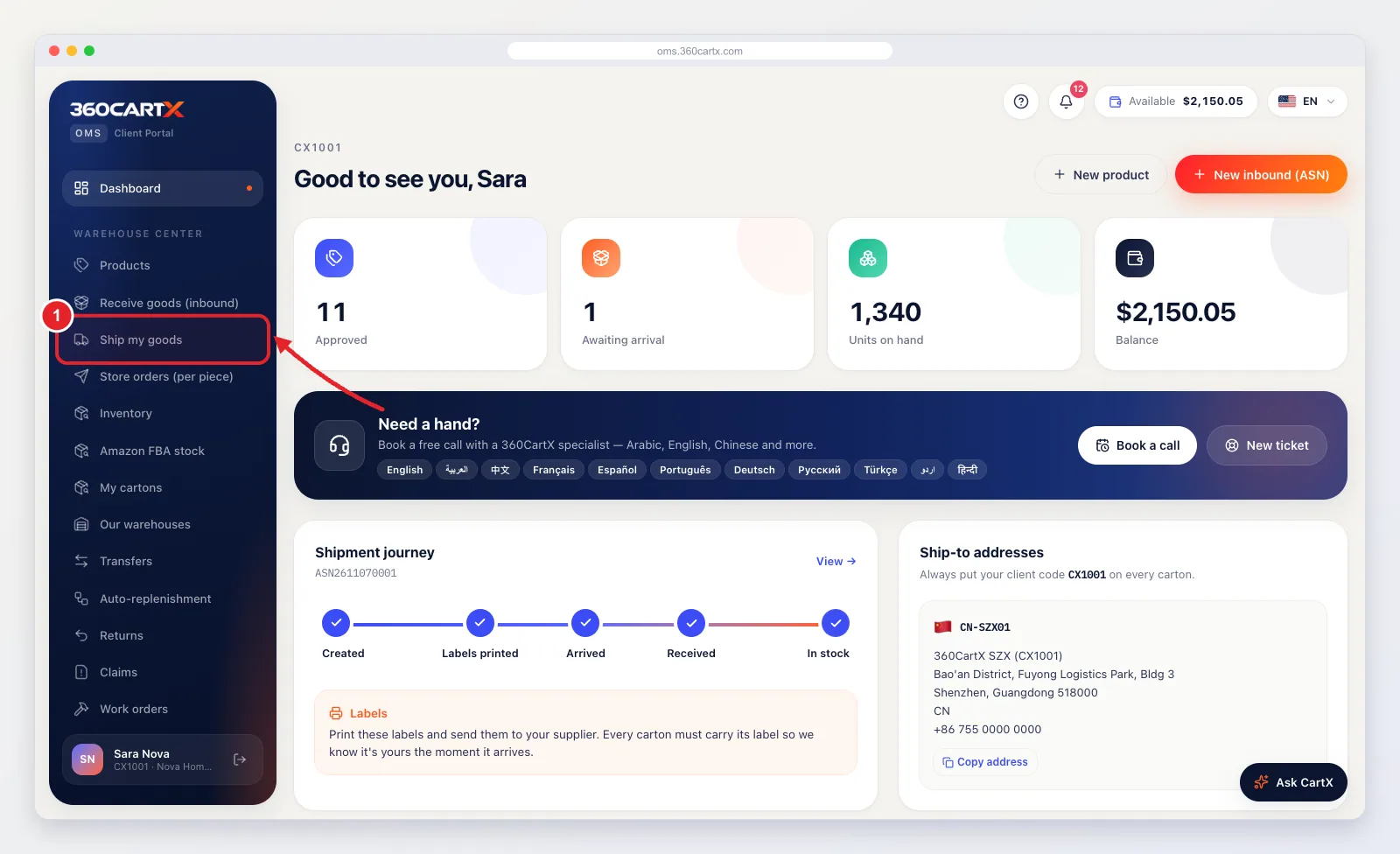
Open Ship my goods
Click Ship my goods under Warehouse Center in the left menu. The page says: Goods come IN to our warehouse (inbound) and go OUT (outbound). Choose where your stock should go.
- 2
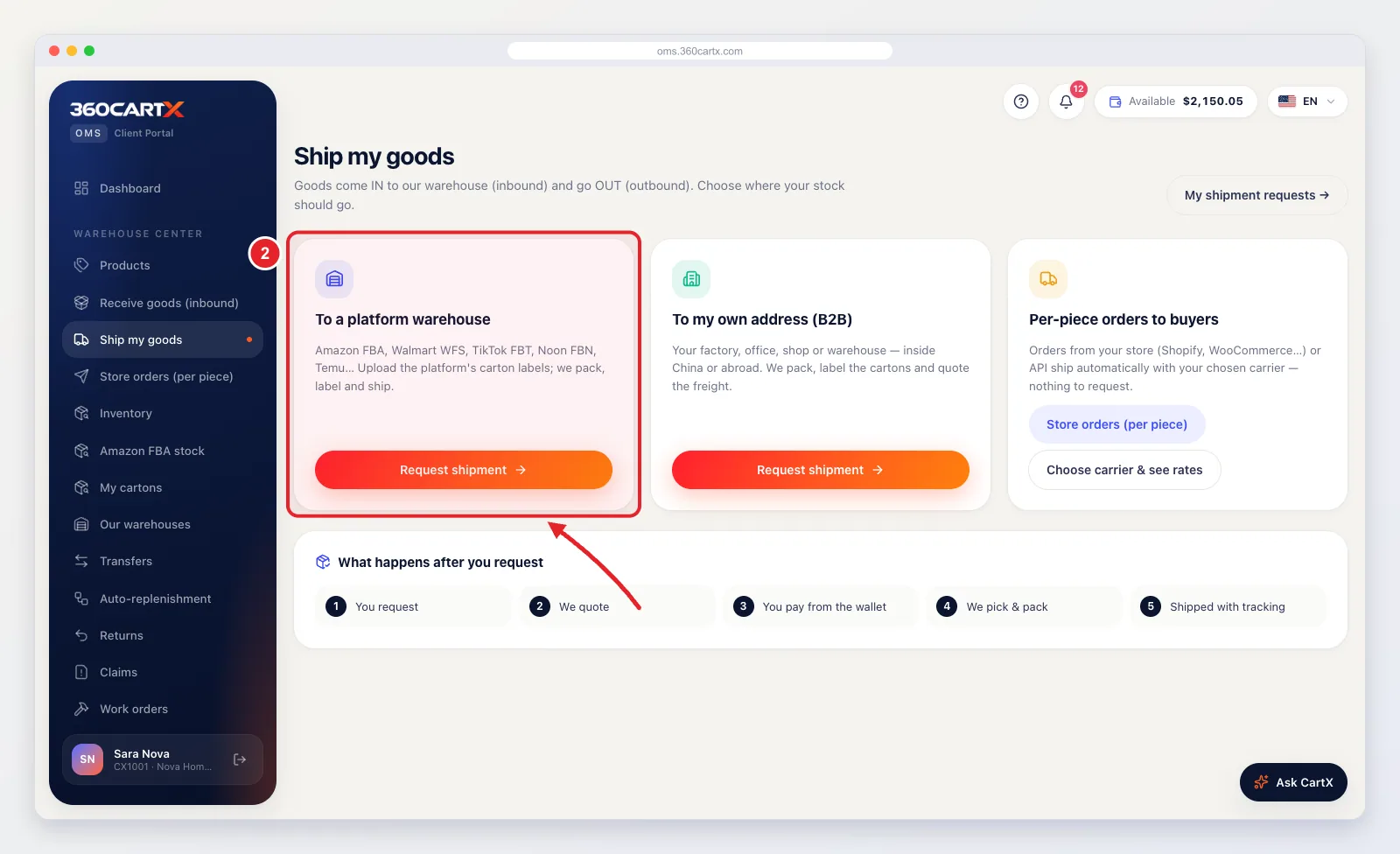
To a platform warehouse
For Amazon FBA, Walmart WFS, TikTok Shop FBT, noon FBN, Temu or eBay: you tell us the platform's shipment details and upload the platform's carton labels; we pack, label and ship. Click Request shipment to open the New platform shipment form (see Ship to Amazon FBA or another platform warehouse).
- 3
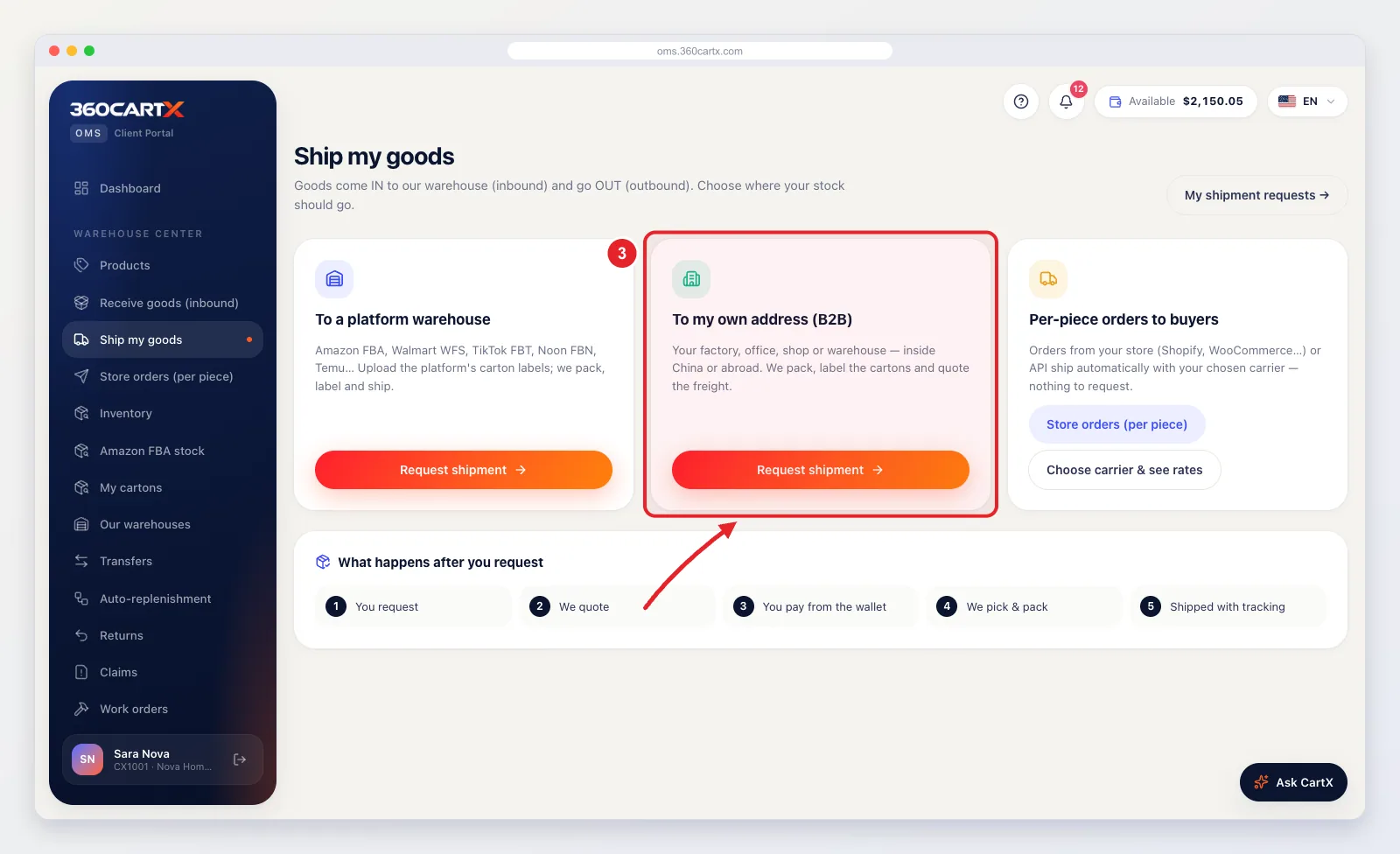
To my own address (B2B)
To send stock to your own factory, office, shop or warehouse, inside China or abroad, for example consolidating goods for your own customers. We pack it, label the cartons and quote the freight. Click Request shipment to open Ship my goods to my address (see Ship goods to your own address).
- 4
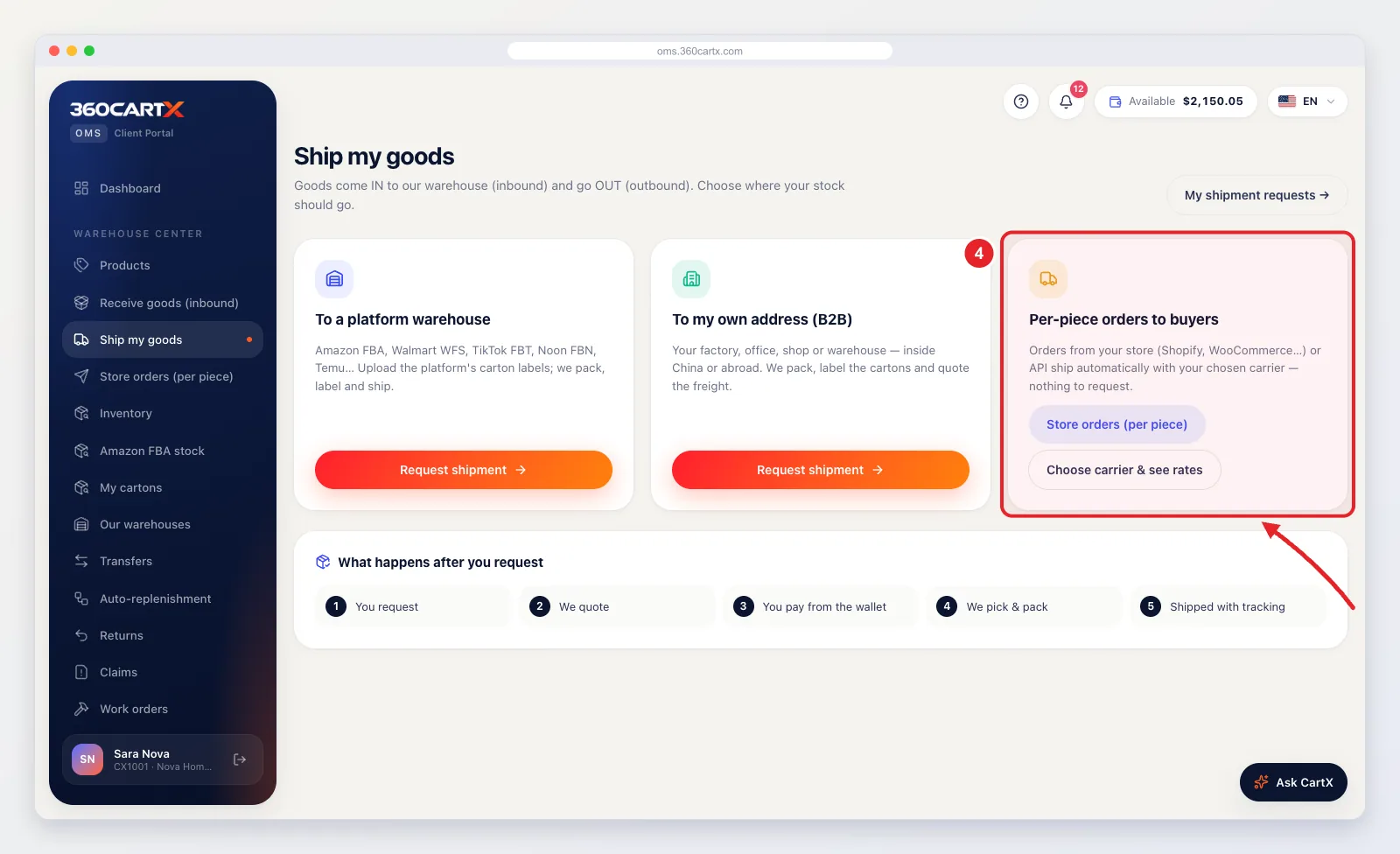
Per-piece orders to buyers
Orders from your connected stores (Shopify, WooCommerce and others) or from the API ship automatically with the carrier you chose: there is nothing to request here. Use Store orders (per piece) to follow them and Choose carrier & see rates to compare carriers.
- 5
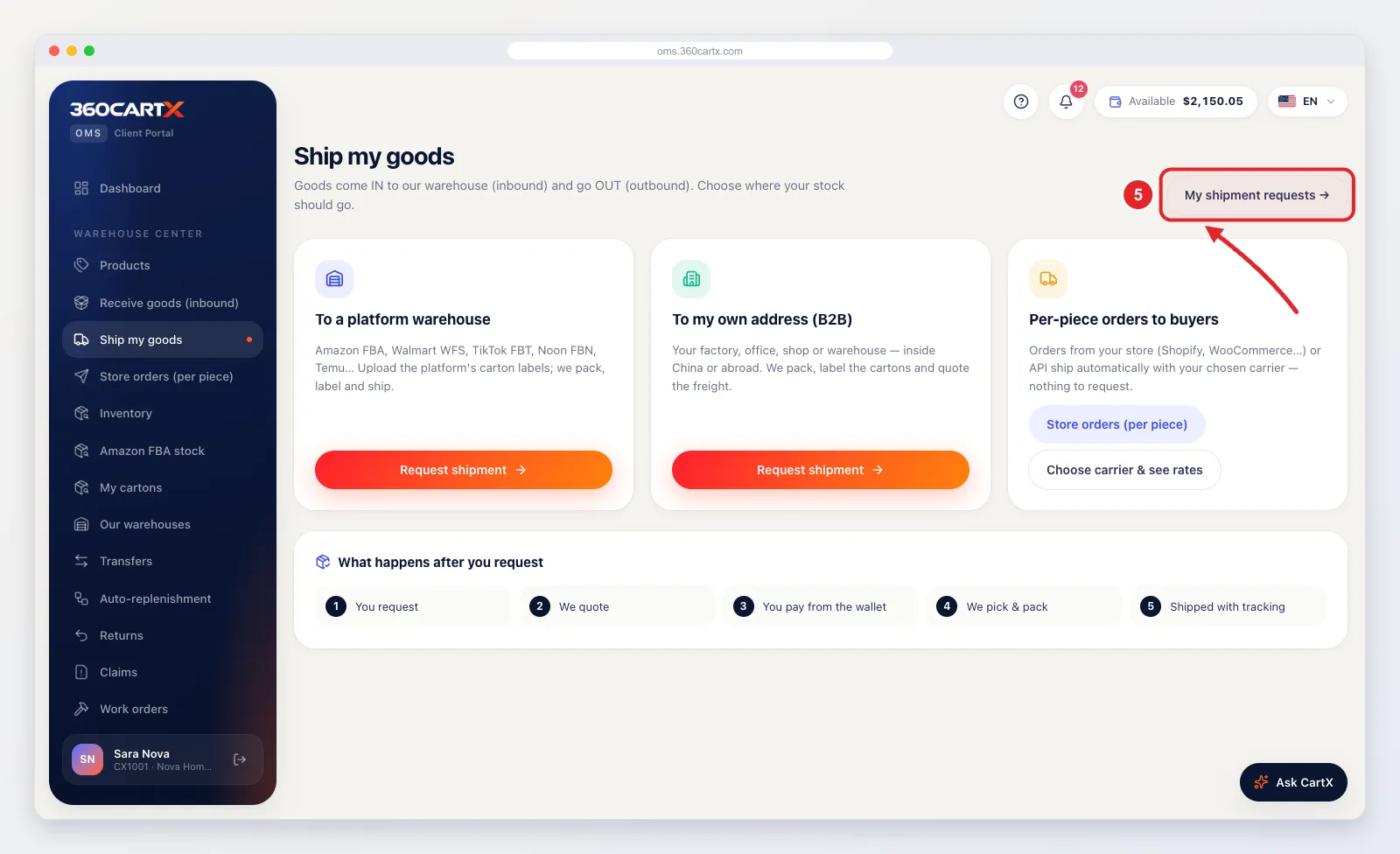
My shipment requests
The button at the top right opens the list of every platform and own-address request you made, with its status. See Your ship-out requests.
- 6
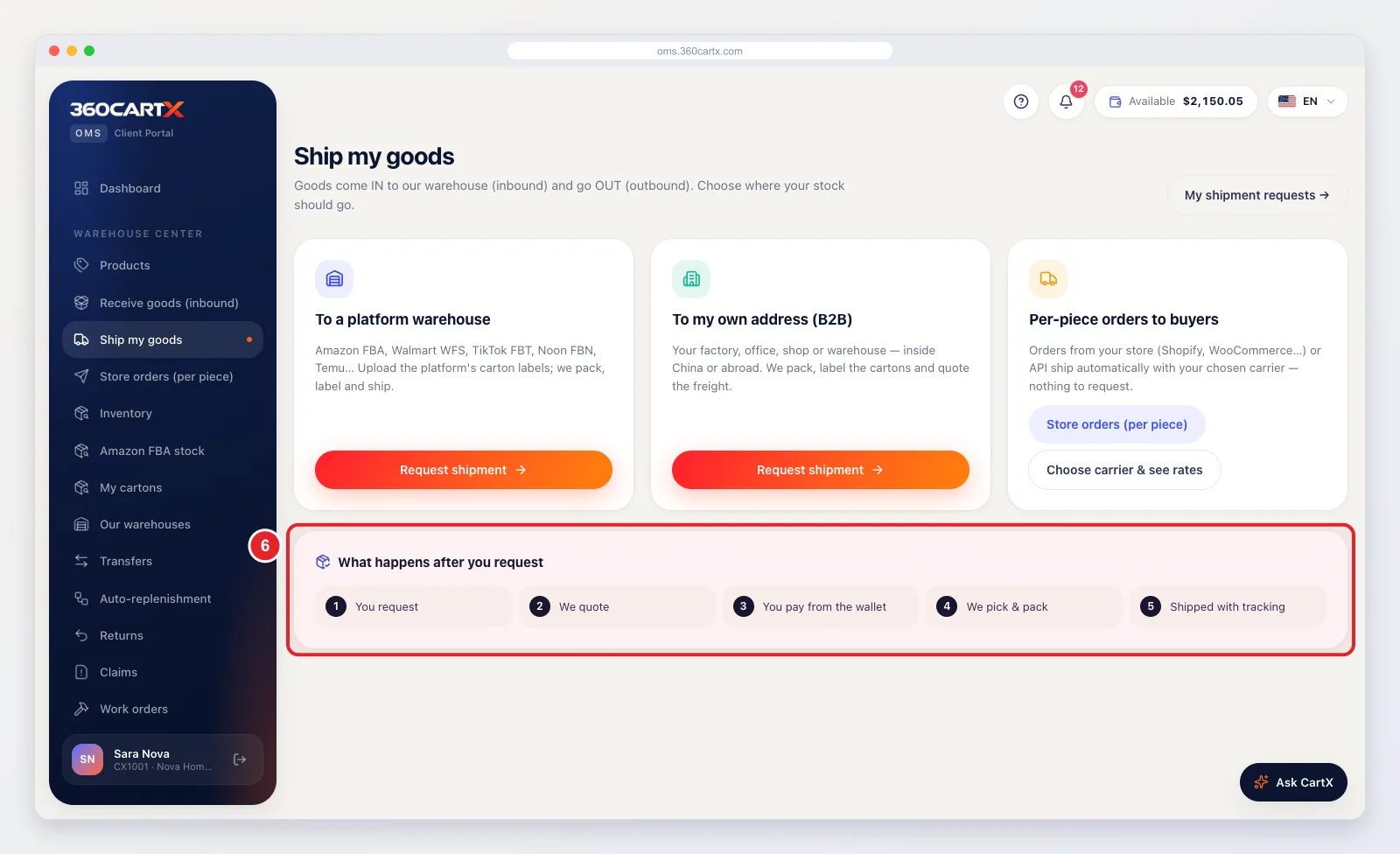
What happens after you request
The bar at the bottom shows the five steps of a request: 1 You request, 2 We quote, 3 You pay from the wallet, 4 We pick & pack, 5 Shipped with tracking. You are never charged when you request: you pay only after we confirm the final price and you click Accept and pay.
Terms in this article
- FBA / FBM: Fulfilled by Amazon vs fulfilled by you.
- B2B shipment: Shipping your stock in bulk to your own address.
Tips
- A ship-out request needs stock in our warehouse. If you have none, the form says No stock yet — ship goods in first. and offers New inbound (ASN). See Create an inbound shipment.
- Stock you request is reserved for the request as soon as you submit it, so store orders cannot use the same units.
- Platform and own-address requests are both listed under Ship-out requests.
Common problems
I don't see Ship my goods
The menu item is under Warehouse Center. A team member with a custom role only sees the sections the account owner gave them.
Which card do I use for a shipment to my customer's address?
A single parcel to a customer is a per-piece order (third card): create it under Store orders (per piece), or let your connected store or the API send it. A bulk shipment to your own business address is the second card.
Related articles
Updated 2026-11-11
Open a ticket from Support in your portal and our team will reply.