Steps
- 1
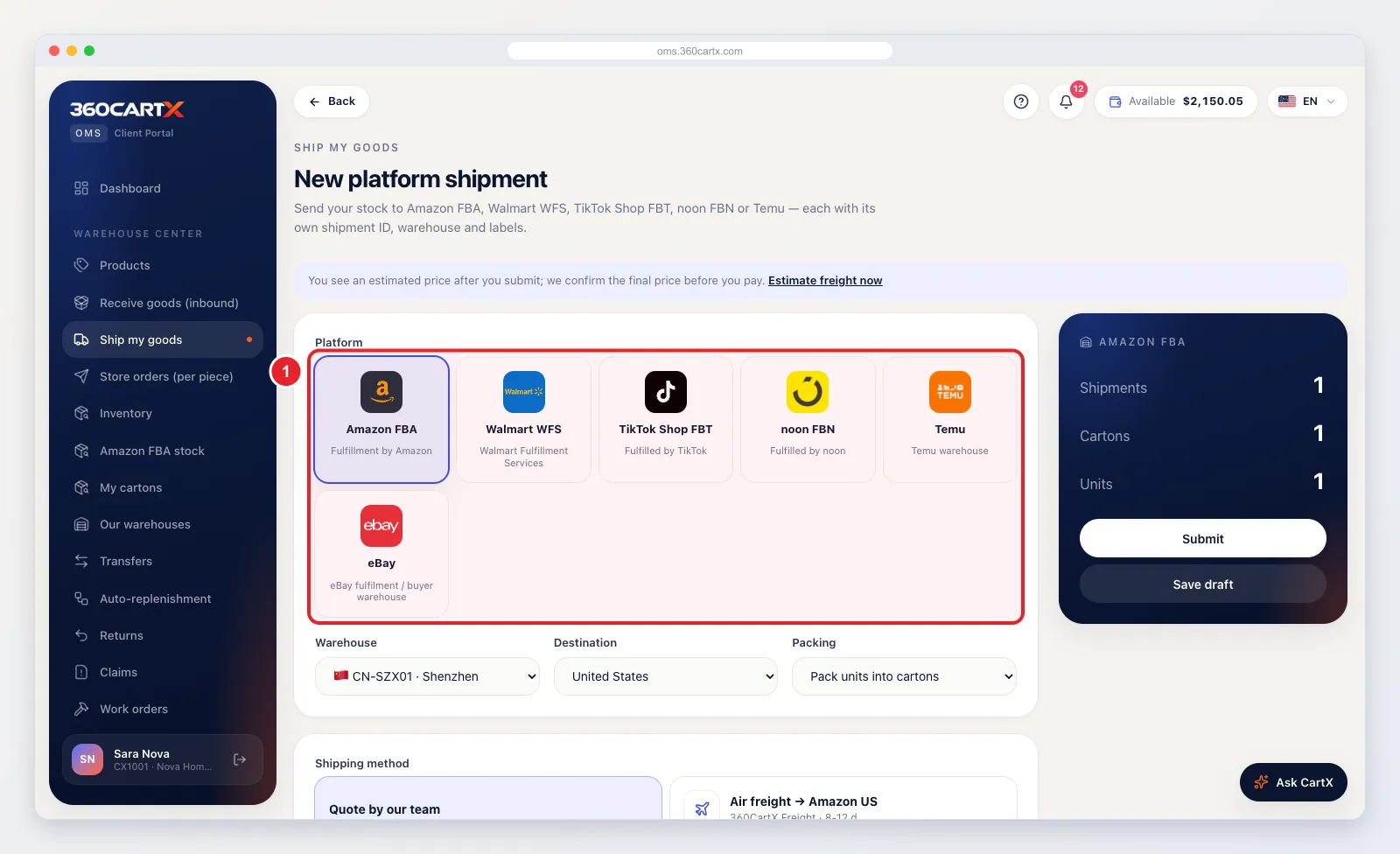
Choose the platform tile
At the top of New platform shipment click the tile of your platform. The Destination list, the field names and the label boxes follow it. The shipment ID, reference and FC fields you typed before are cleared when you change the platform.
- 2
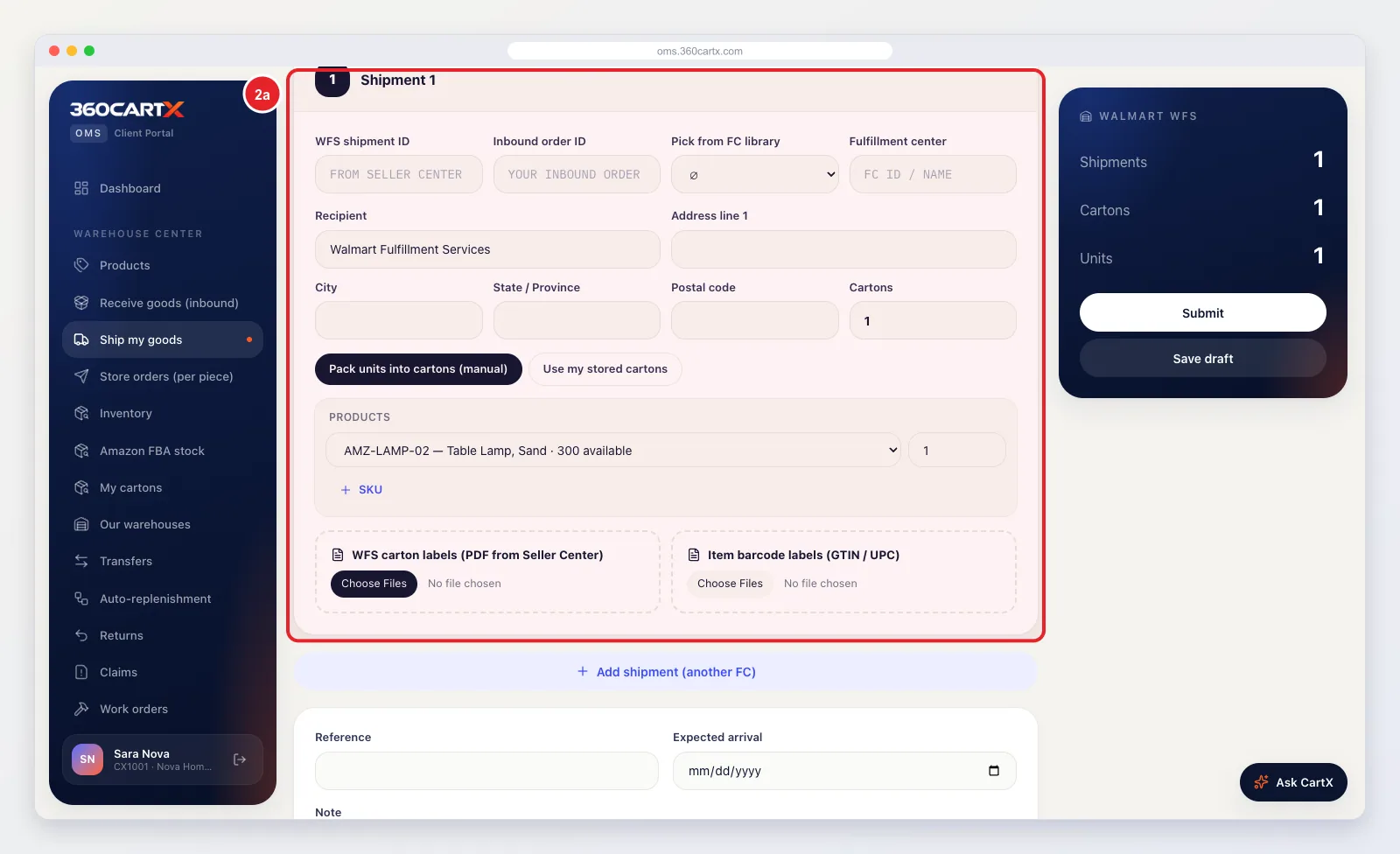
Walmart WFS
Destination: United States. Type the WFS shipment ID (Seller Center → WFS → inbound order → shipment ID), the Inbound order ID (the ID you gave the inbound order in Seller Center) and the Fulfillment center (FC ID / name), then the address. Labels: WFS carton labels (PDF from Seller Center) and Item barcode labels (GTIN / UPC). The tick box says: Units need barcode labels — every WFS unit must carry a scannable GTIN/UPC; we print and stick them.
- 3
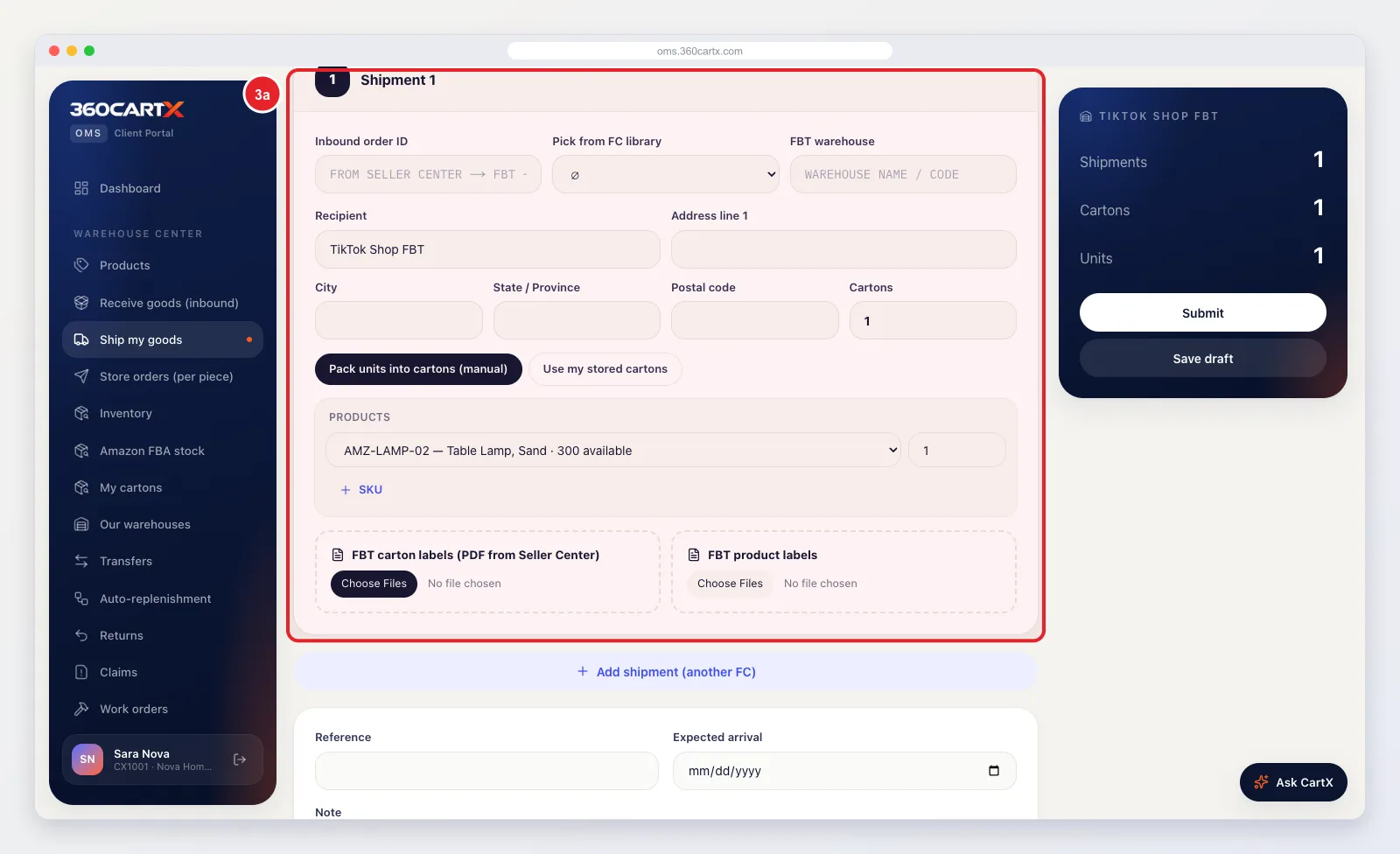
TikTok Shop FBT
Destinations: United States and United Kingdom. Type the Inbound order ID (Seller Center → Fulfilled by TikTok → inbound shipments) and the FBT warehouse, then the address. There is no second reference field. Labels: FBT carton labels (PDF from Seller Center) and FBT product labels. Tick box: Units need FBT product labels — we print and stick them.
- 4
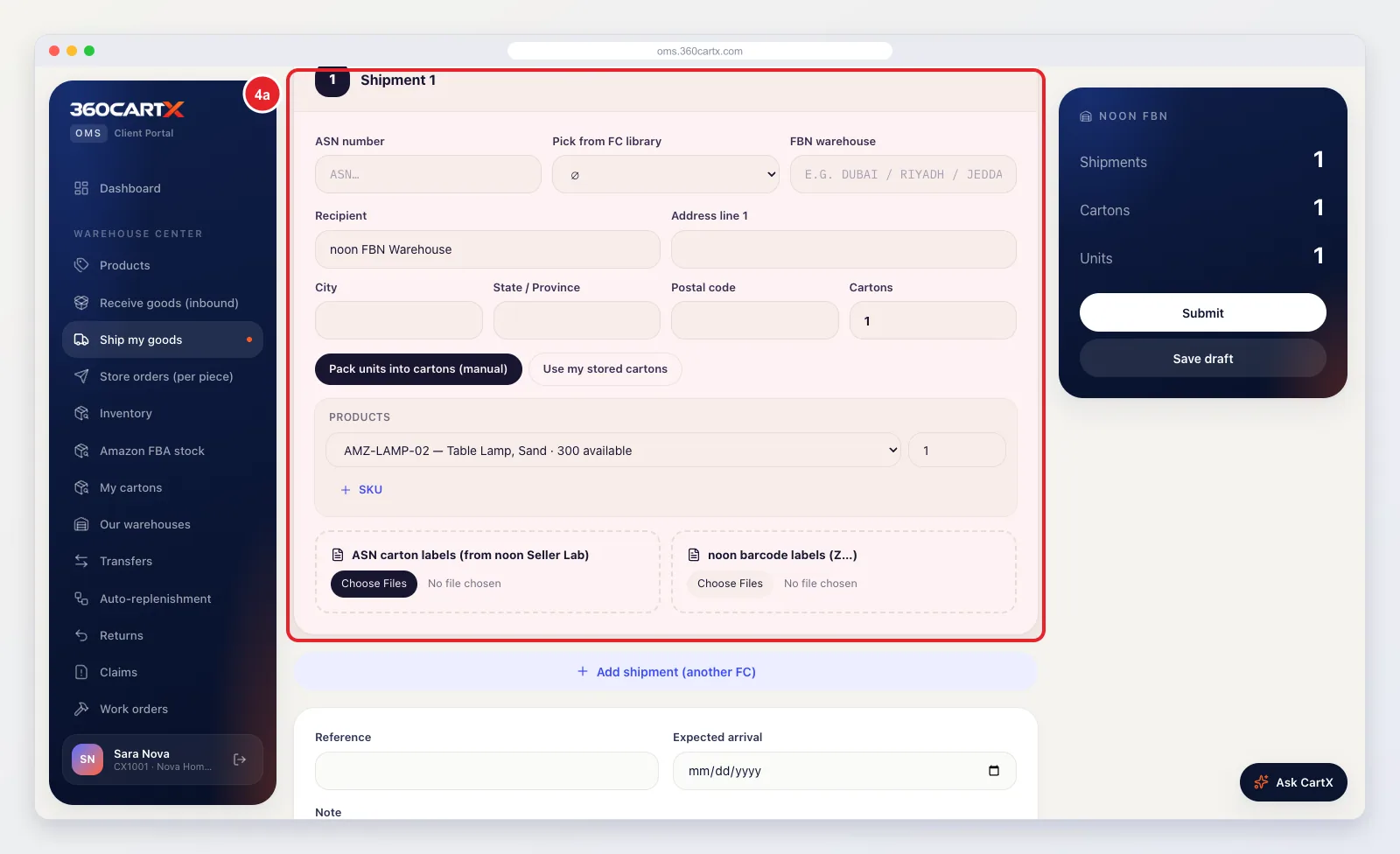
noon FBN
Destinations: United Arab Emirates, Saudi Arabia and Egypt. Type the ASN number (Seller Lab → FBN → create ASN) and the FBN warehouse, for example Dubai, Riyadh or Jeddah. Labels: ASN carton labels (from noon Seller Lab) and noon barcode labels (Z…). Tick box: Units need noon barcode labels — we print and stick them.
- 5
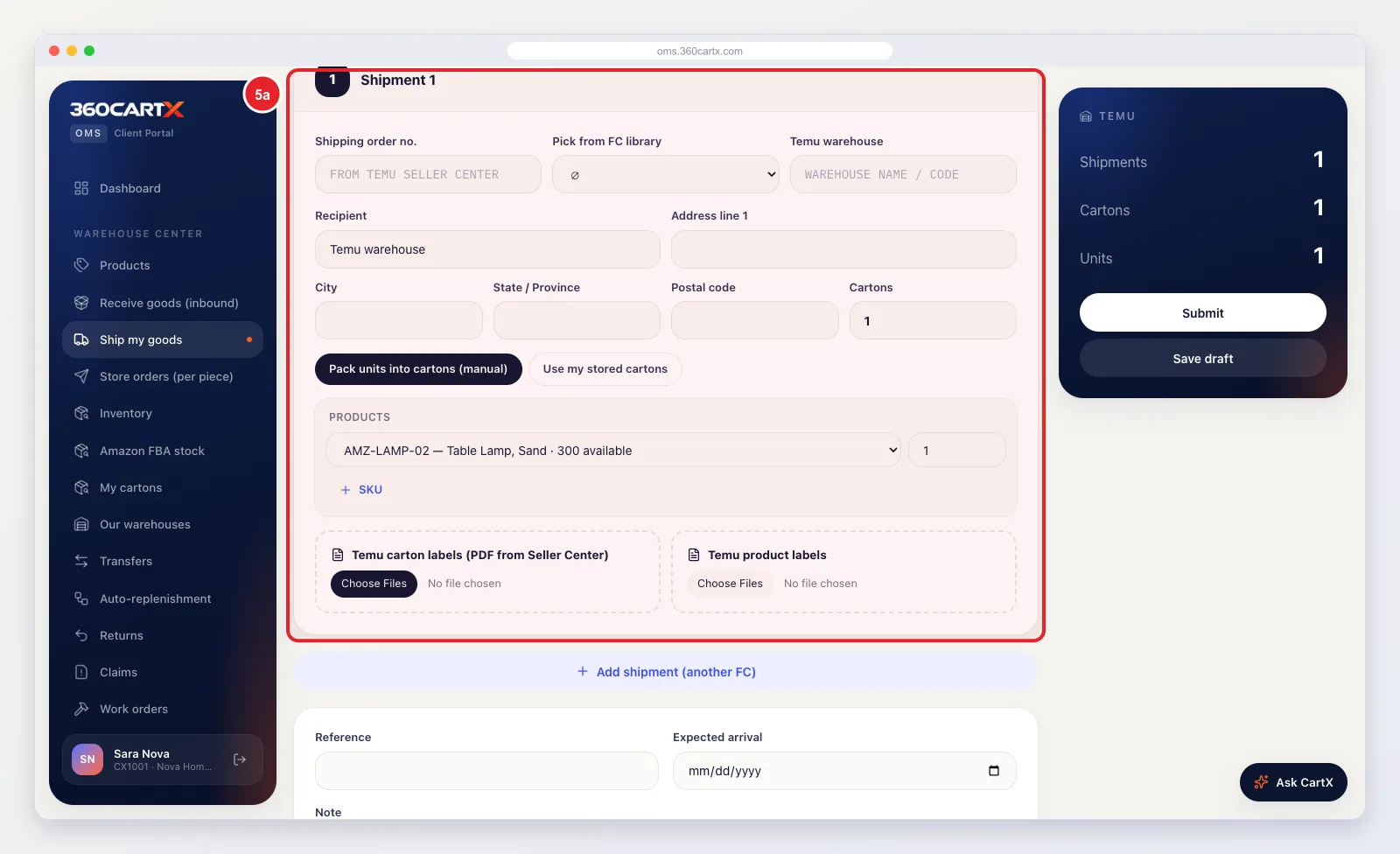
Temu
Destinations: United States, United Kingdom, Germany, France, Italy and Spain. Type the Shipping order no. (Seller Center → shipping order for this stock) and the Temu warehouse. Labels: Temu carton labels (PDF from Seller Center) and Temu product labels. Tick box: Units need Temu product labels — we print and stick them.
- 6
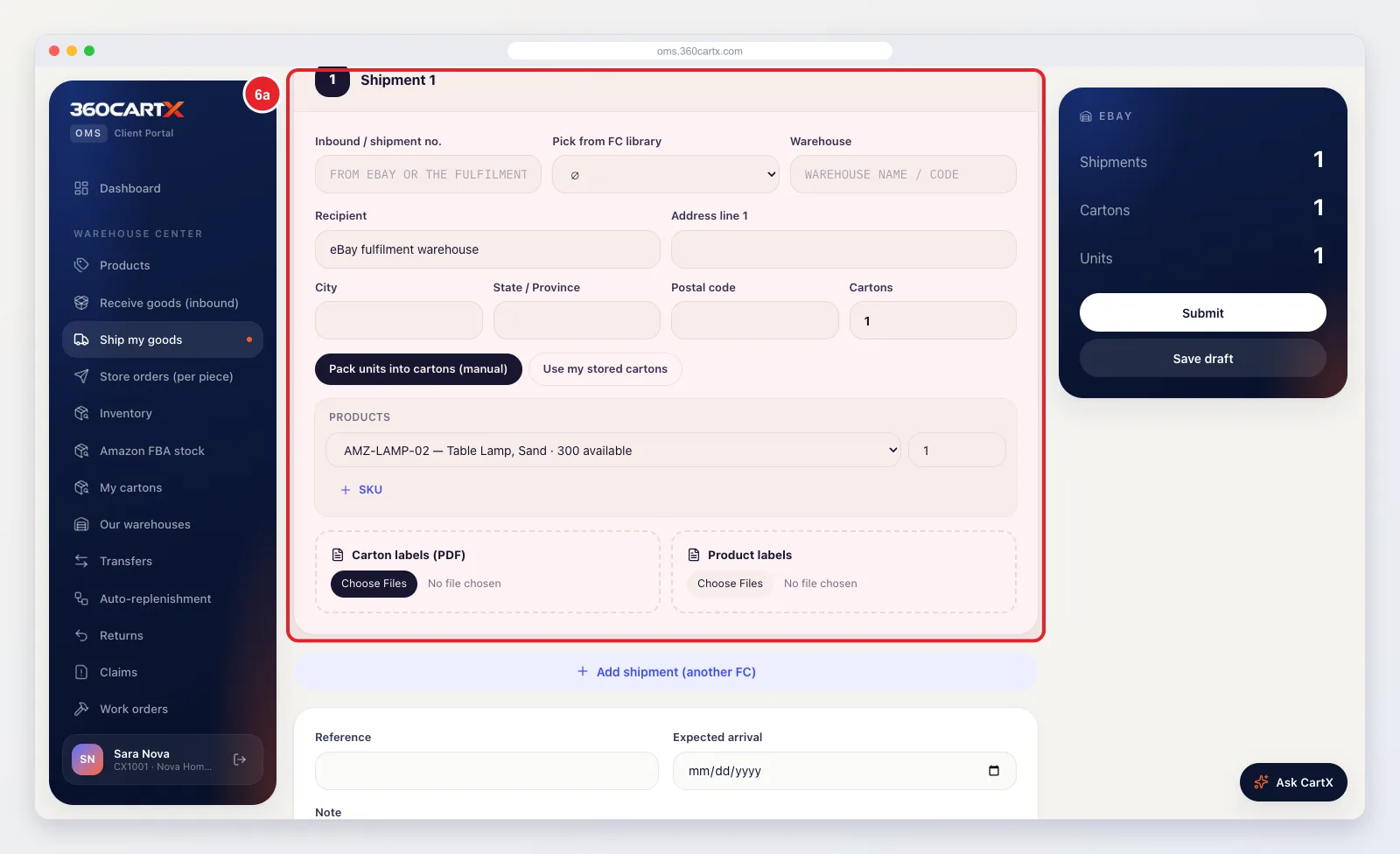
eBay
Destinations: United States, United Kingdom, Germany, Australia, Canada, France, Italy and Spain. Type the Inbound / shipment no. you were given by eBay or the fulfilment partner and the Warehouse. Labels: Carton labels (PDF) and Product labels. Tick box: Units need product labels — we print and stick them.
Terms in this article
- FC: Fulfilment centre, e.g. Amazon's warehouse ONT8.
- Shipment ID: The marketplace's number for one shipment to one FC.
Tips
- Each platform tells you the address of its warehouse in its seller portal: copy it into Address line 1, City, State / Province and Postal code. If the FC library lists the warehouse, Pick from FC library fills it in for you.
- The Shipment ID warning (starting with FBA) exists only for Amazon. For the other platforms we do not check the format, so type the number exactly as the platform shows it.
- The rest of the process is the same as for Amazon FBA: we quote, you pay, we pack, label and ship. See Accept and pay the final price.
Common problems
My destination country is not in the list
Each platform offers only the countries where the program runs. Check the platform tile, or choose Quote by our team and tell us in the Note where the goods must go.
Platform not listed (for example Shopee or Mercado Libre)
Only the six platforms on the tiles have their own form. Open a ticket in Help & support and tell us the platform and the warehouse.
Related articles
Updated 2026-11-11
Open a ticket from Support in your portal and our team will reply.