Steps
- 1
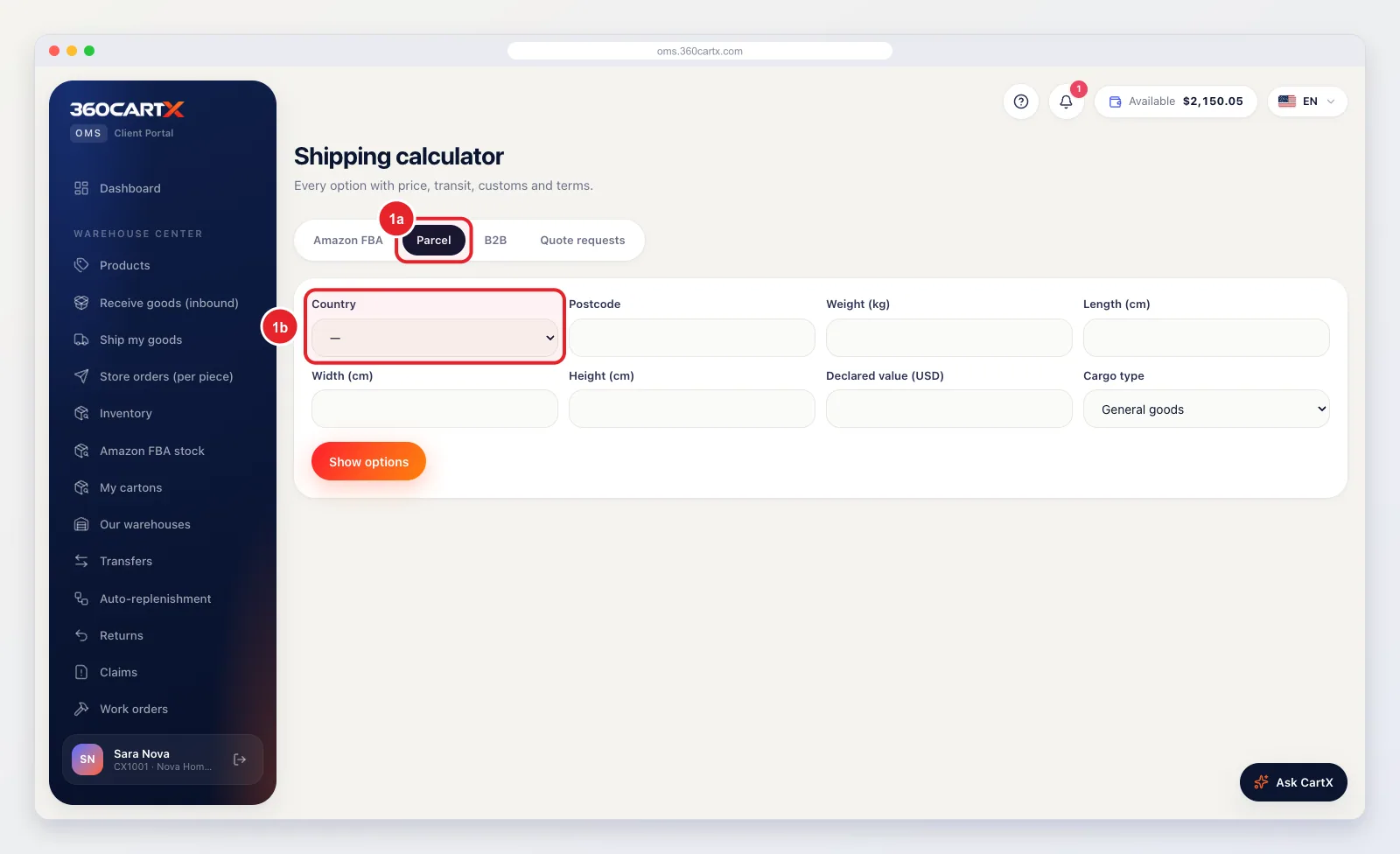
Open the Parcel tab and choose the country
Click Shipping quote in the left menu. The Parcel tab is selected. In Country choose where the parcel goes. The list starts empty, shown as a dash, and you must choose a country. Only services that deliver to this country are returned.
- 1a Parcel tab
- 1b Country
- 2
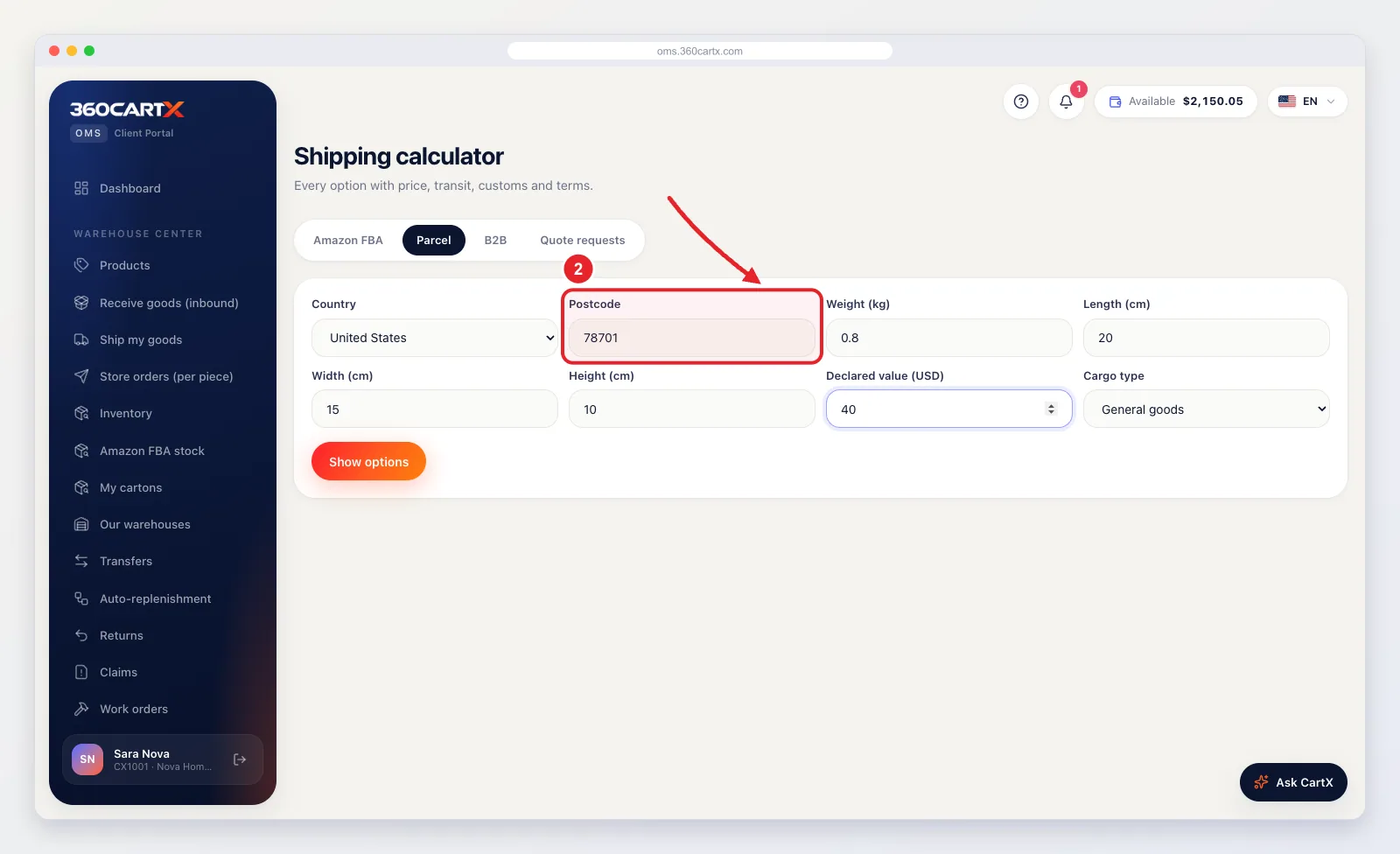
Add the postcode when the price depends on it
Type the destination postcode in Postcode, for example 78701. Some carriers price by area or add a fee for remote areas, so the calculator needs it to give a final price for those services. Without it a service may show We need a valid postcode to price this area or Enter the postcode to price this option. Leave it empty when you only want a first idea.
- 3
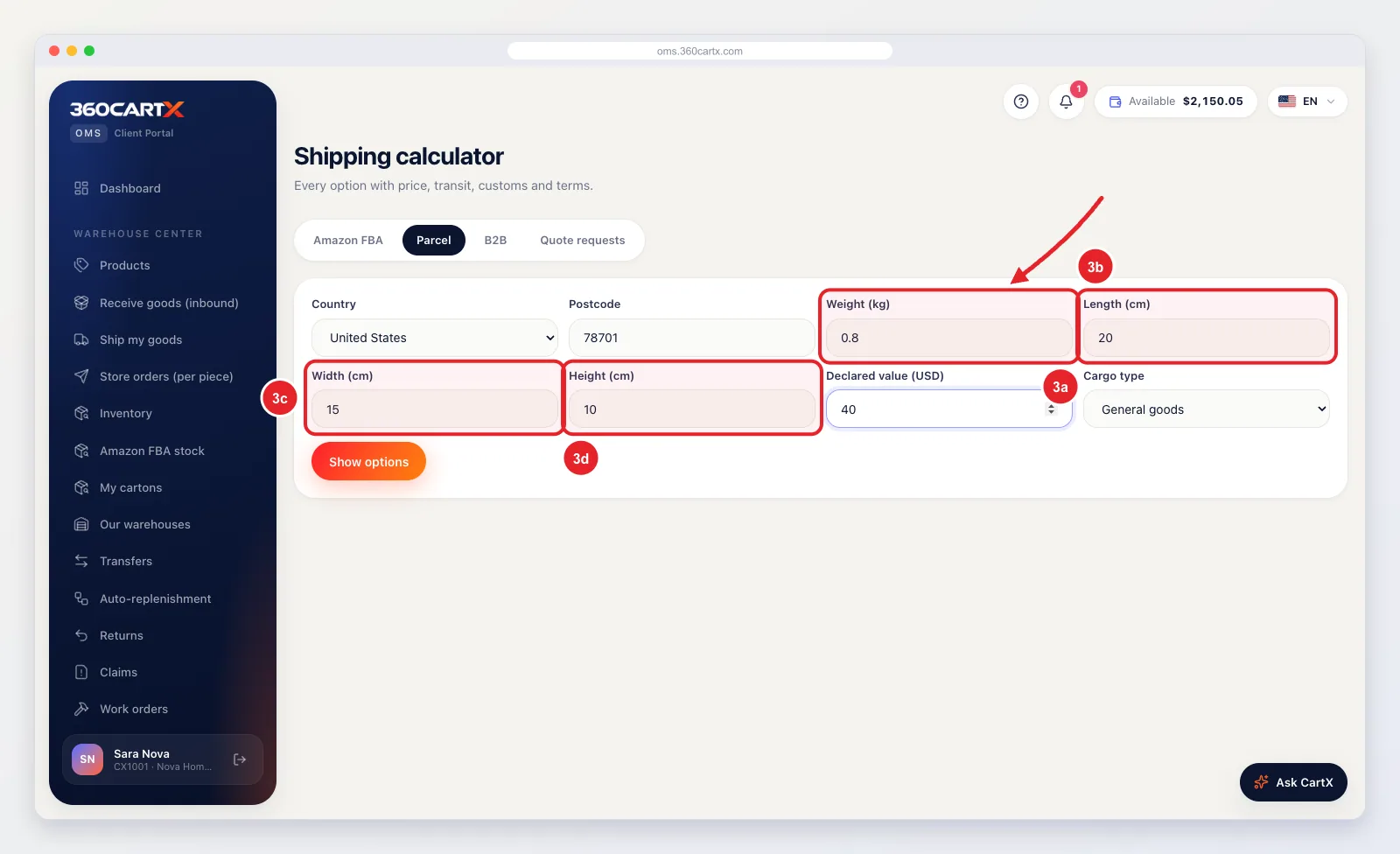
Enter weight and size
Weight (kg) is the weight of the packed parcel, for example 0.8. Length (cm), Width (cm) and Height (cm) are the outside size of the package. Carriers charge the larger of the real weight and the volume weight (length × width × height divided by the carrier's number), so the size matters for light and bulky parcels. Use a dot for decimals.
- 3a Weight (kg)
- 3b Length (cm)
- 3c Width (cm)
- 3d Height (cm)
- 4
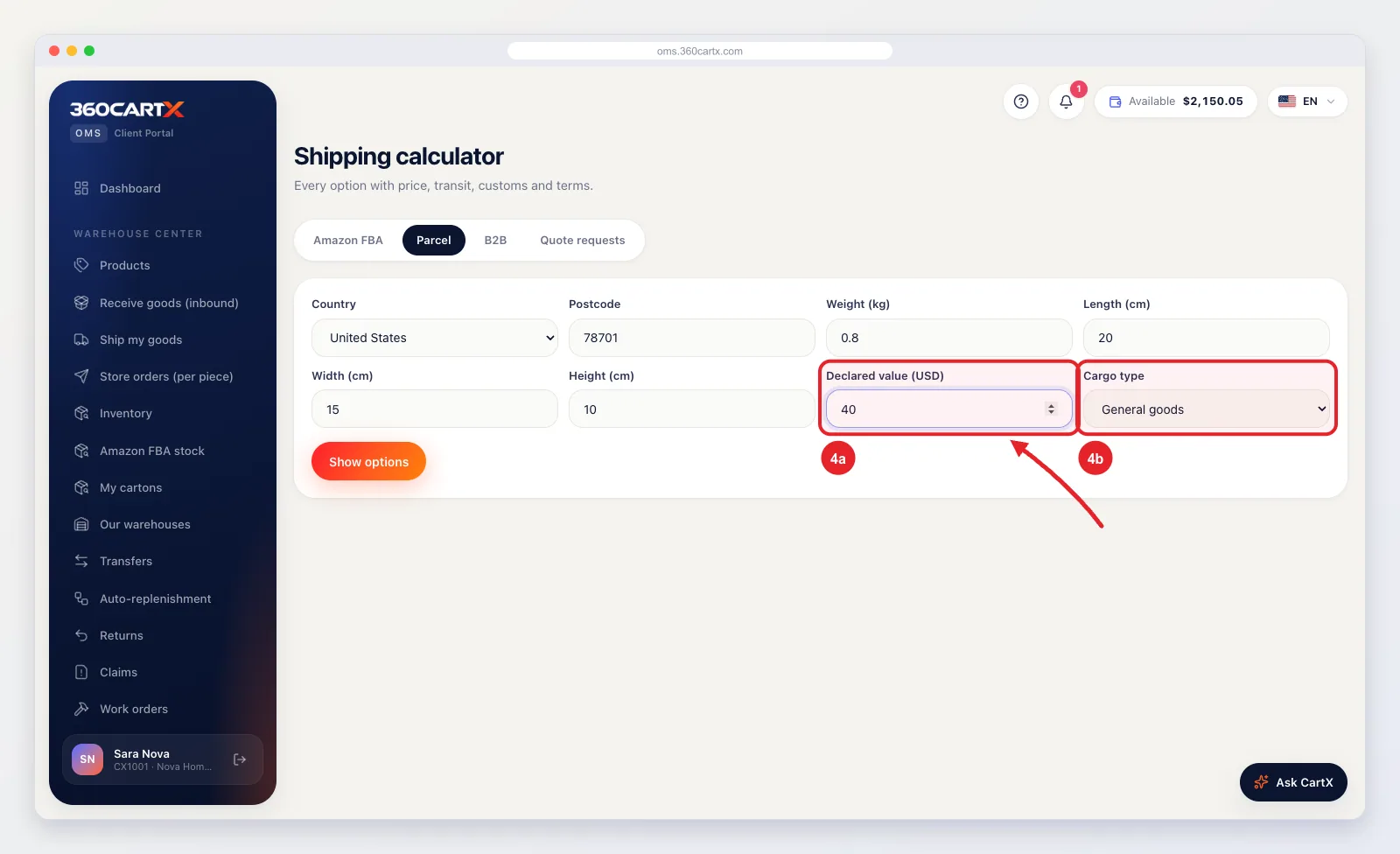
Declared value and cargo type
Declared value (USD) is what the goods are worth. It sets the duty on services where customs are charged with the shipment, and some services have a value limit. Cargo type is General goods by default. Choose another type when the parcel holds a battery, a liquid, a powder, cosmetics, a magnet, a sharp item or clothing, because it decides which carriers may take it. A wrong type can get a parcel returned.
- 4a Declared value (USD)
- 4b Cargo type
- 5
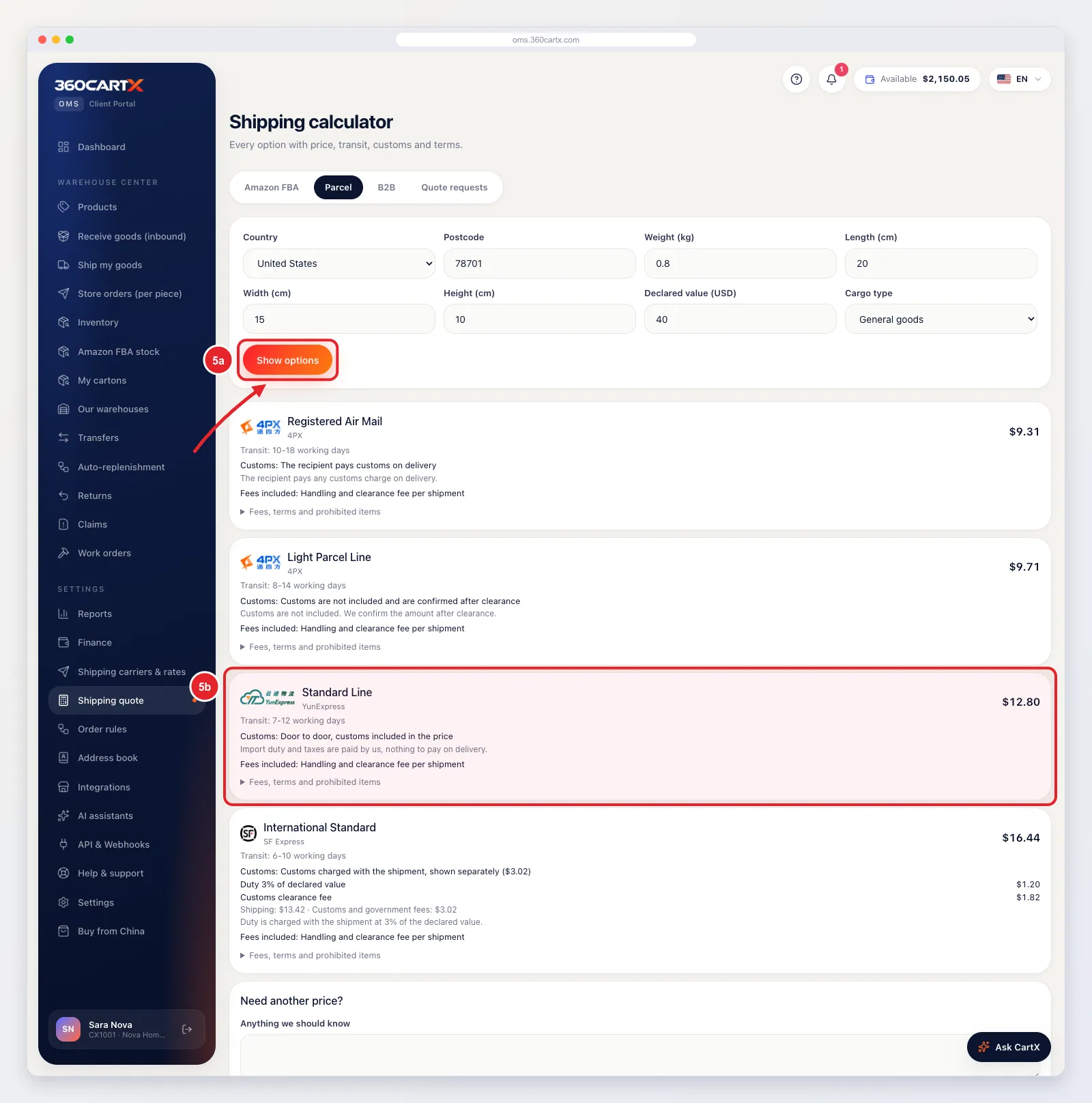
Click Show options
Click Show options. Below the form you get one card for each carrier service, cheapest first. Read the price, the transit time, the Customs line and Fees included on each card. Click Fees, terms and prohibited items for the rest. Nothing is booked or charged. See The shipping calculator for how to read a card.
- 5a Show options
- 5b Option card
- 6
If something is missing
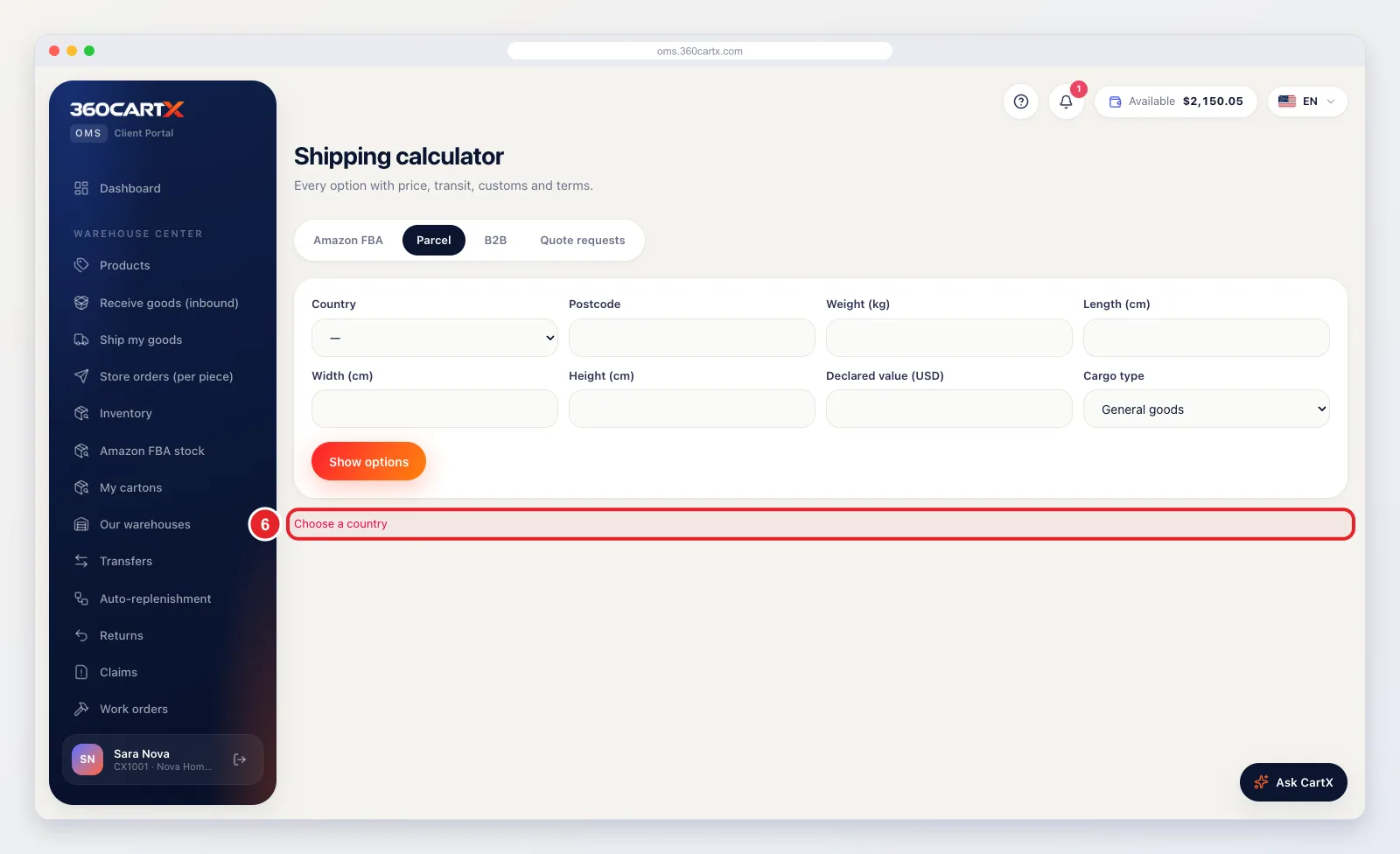
When a field is empty or wrong, a red message appears under the form and nothing is calculated. For example: Choose a country, Weight is not valid, Length is not valid, Width is not valid or Height is not valid. Fill the field and click Show options again. Weight, length, width and height need a number. The declared value is optional.
Terms in this article
- Chargeable / volumetric weight: The weight carriers bill: the larger of real and volume weight.
- DDP: Delivered duty paid: duties are in the price.
Tips
- Weigh and measure the packed parcel, not just the product. The final charge uses the weight and size we measure when we pack.
- To see prices without a specific parcel in mind, use the Shipping carriers & rates page, which shows example prices for 0.5, 1, 2 and 5 kg.
- A card that says Request a quote has no automatic price for this parcel. You can ask us from the card Need another price? below.
Common problems
No service found for this request
No carrier takes this country, weight or cargo type. Check the country and the weight. Then send us a request from the card Need another price?.
The price changed when I added the postcode
Some services price by area. Without a postcode the calculator cannot know the area, so it asks for it or shows a price that can change.
A service says the declared value is above its limit
Each service has a highest value it accepts. Choose another service or split the goods into more parcels.
The price here differs from my order's shipping cost
The calculator is an estimate. An order is charged for the carrier service of the order and the weight and size we measure when we pack it.
Related articles
Updated 2026-11-11
Open a ticket from Support in your portal and our team will reply.