Steps
- 1
Open Buy from China
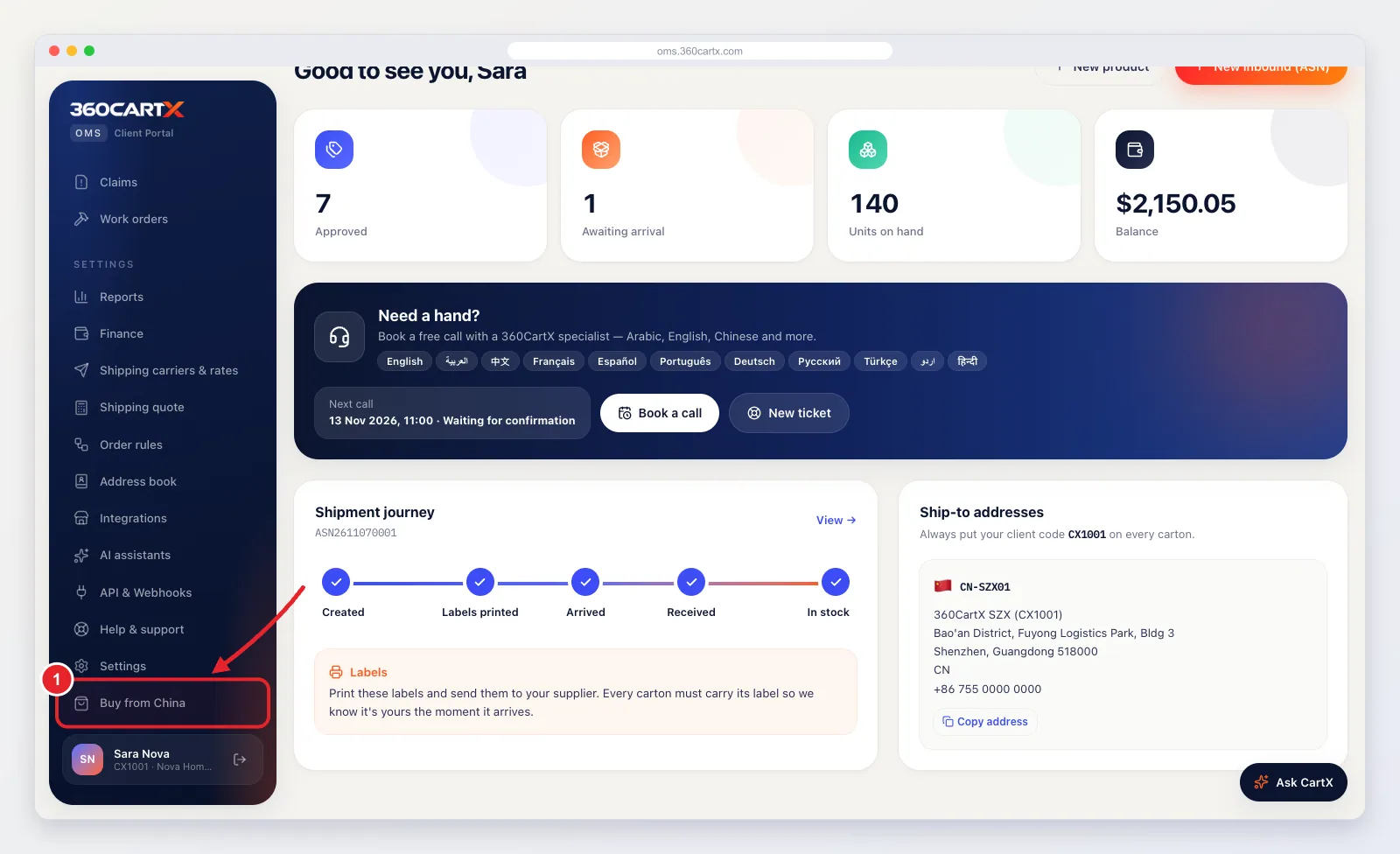
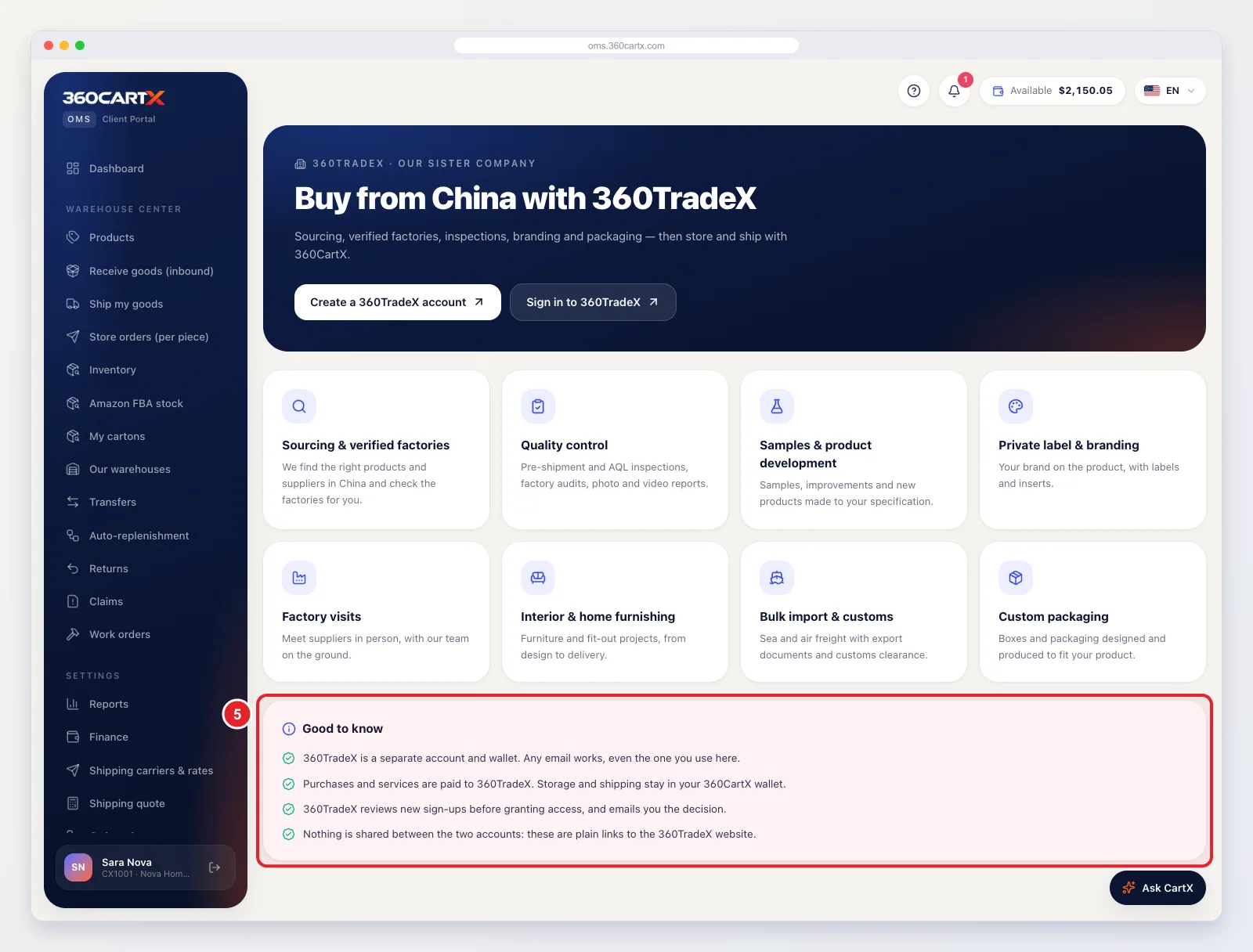
In the left menu, in the last group, click Buy from China. It is the last item, below Settings. You can also reach the same page from the card on your Settings profile (see the last step). People with a custom role do not see this item.
- 2
The introduction
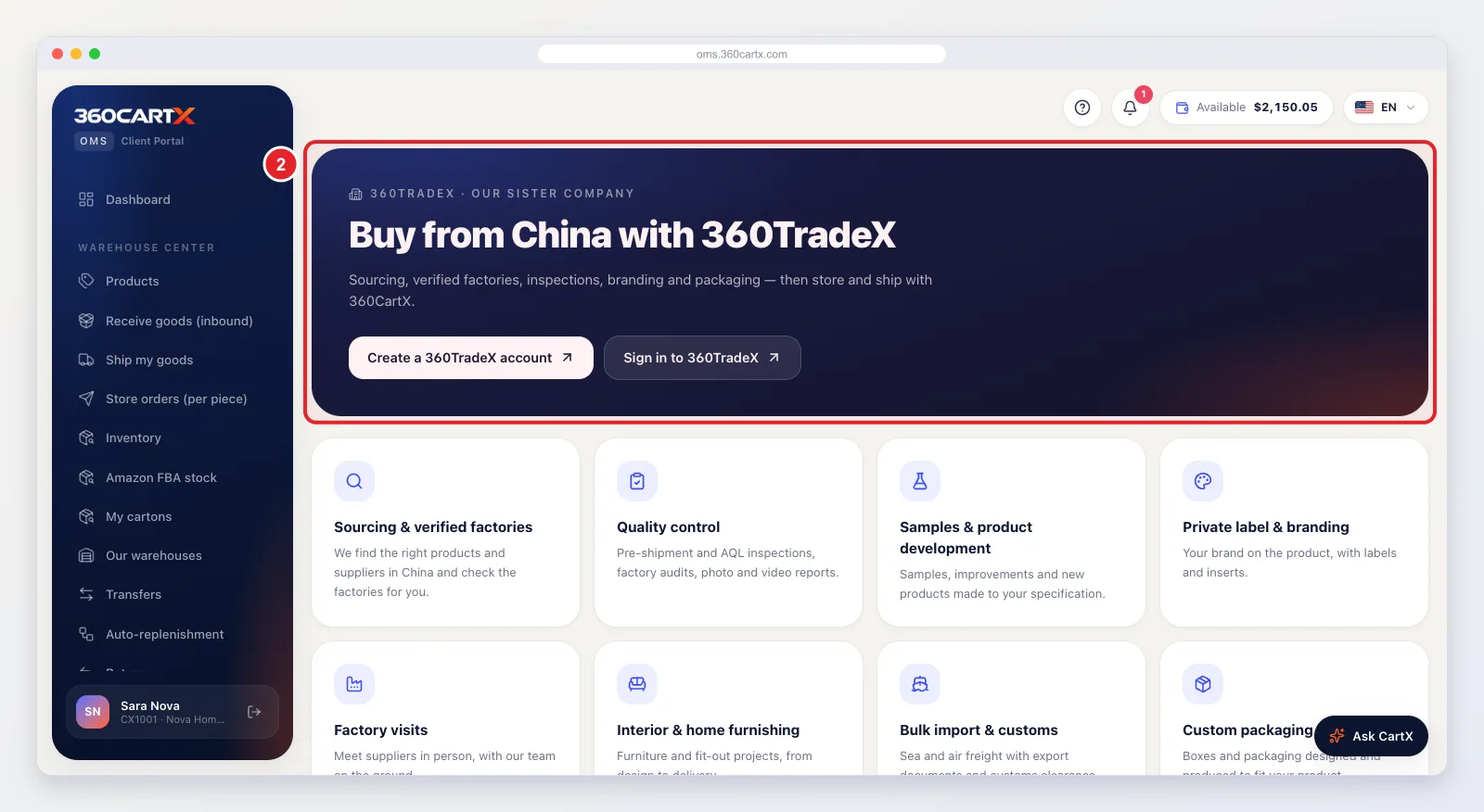
The dark banner is headed 360TradeX · our sister company and has the title Buy from China with 360TradeX. The line under it says: Sourcing, verified factories, inspections, branding and packaging, then store and ship with 360CartX.
- 3
Create an account or sign in
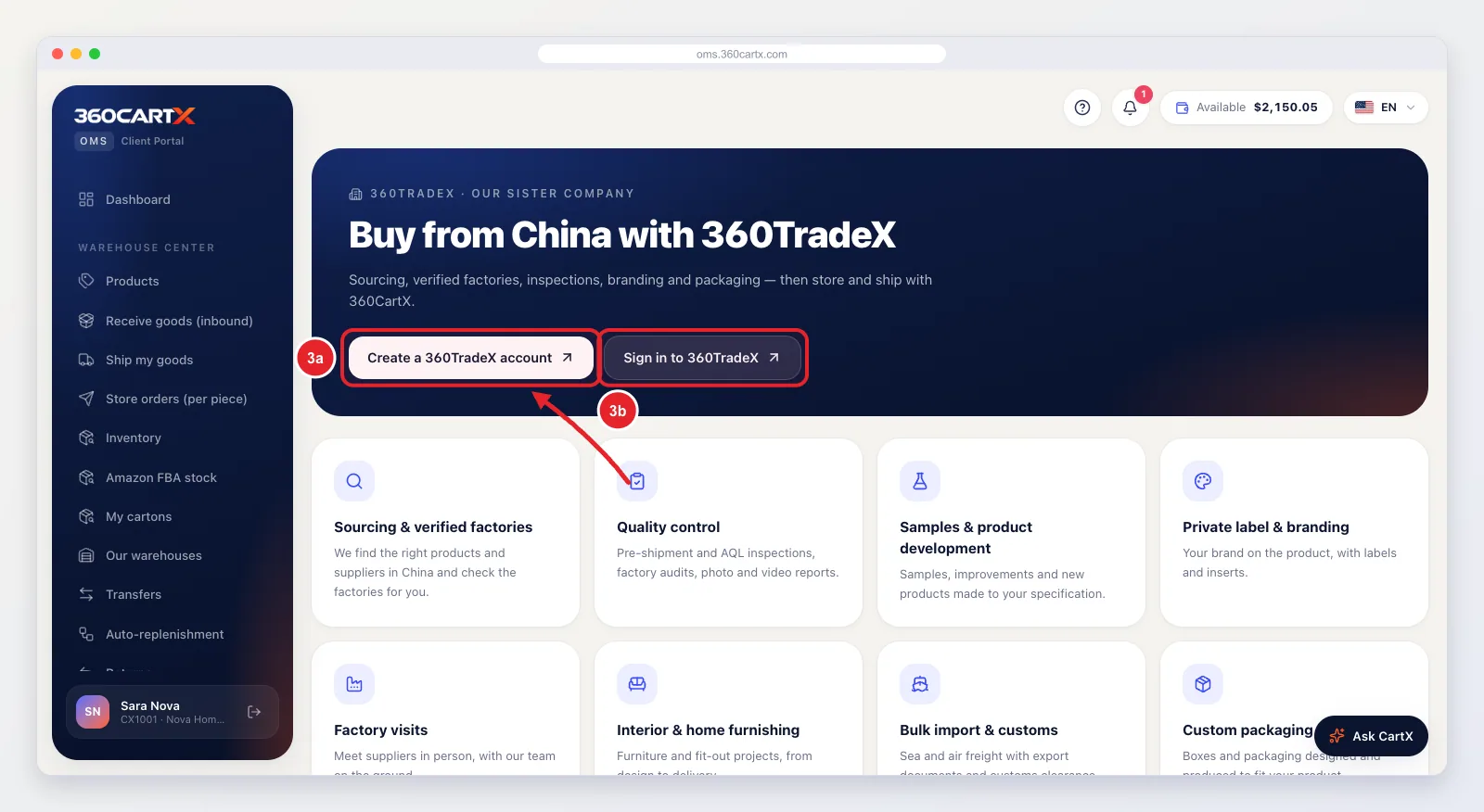
The banner has two buttons. Create a 360TradeX account is the white one, for first-time users. Sign in to 360TradeX is the outlined one, for those who already have an account. Both open the 360TradeX website in a new browser tab (this page stays open), on its sign-up or sign-in page. When your portal is in Chinese the Chinese version of that site opens, otherwise the English version. You register and sign in there, not in 360CartX.
- 3a Create a 360TradeX account
- 3b Sign in to 360TradeX
- 4
What 360TradeX offers
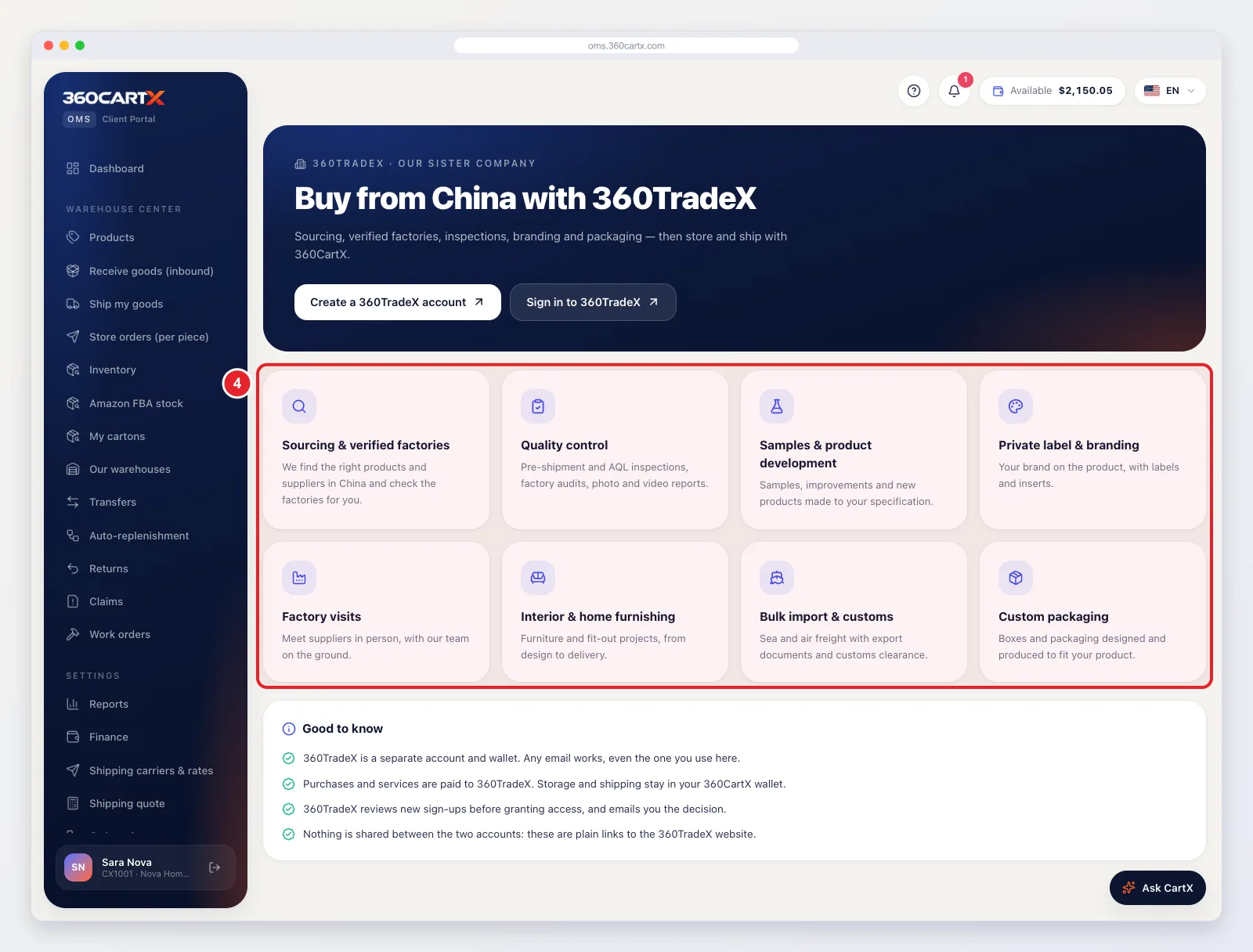
Eight cards describe the services. Sourcing & verified factories: we find the right products and suppliers in China and check the factories for you. Quality control: pre-shipment and AQL inspections, factory audits, photo and video reports. Samples & product development: samples, improvements and new products made to your specification. Private label & branding: your brand on the product, with labels and inserts. Factory visits: meet suppliers in person, with our team on the ground. Interior & home furnishing: furniture and fit-out projects, from design to delivery. Bulk import & customs: sea and air freight with export documents and customs clearance. Custom packaging: boxes and packaging designed and produced to fit your product.
- 5
Good to know
The box Good to know has four points. 360TradeX is a separate account and wallet, and any e-mail works, even the one you use in 360CartX. Purchases and services are paid to 360TradeX, while storage and shipping stay in your 360CartX wallet. 360TradeX reviews new sign-ups before granting access, and e-mails you the decision. Nothing is shared between the two accounts: the buttons are plain links to the 360TradeX website.
- 6
The same offer on your Settings page
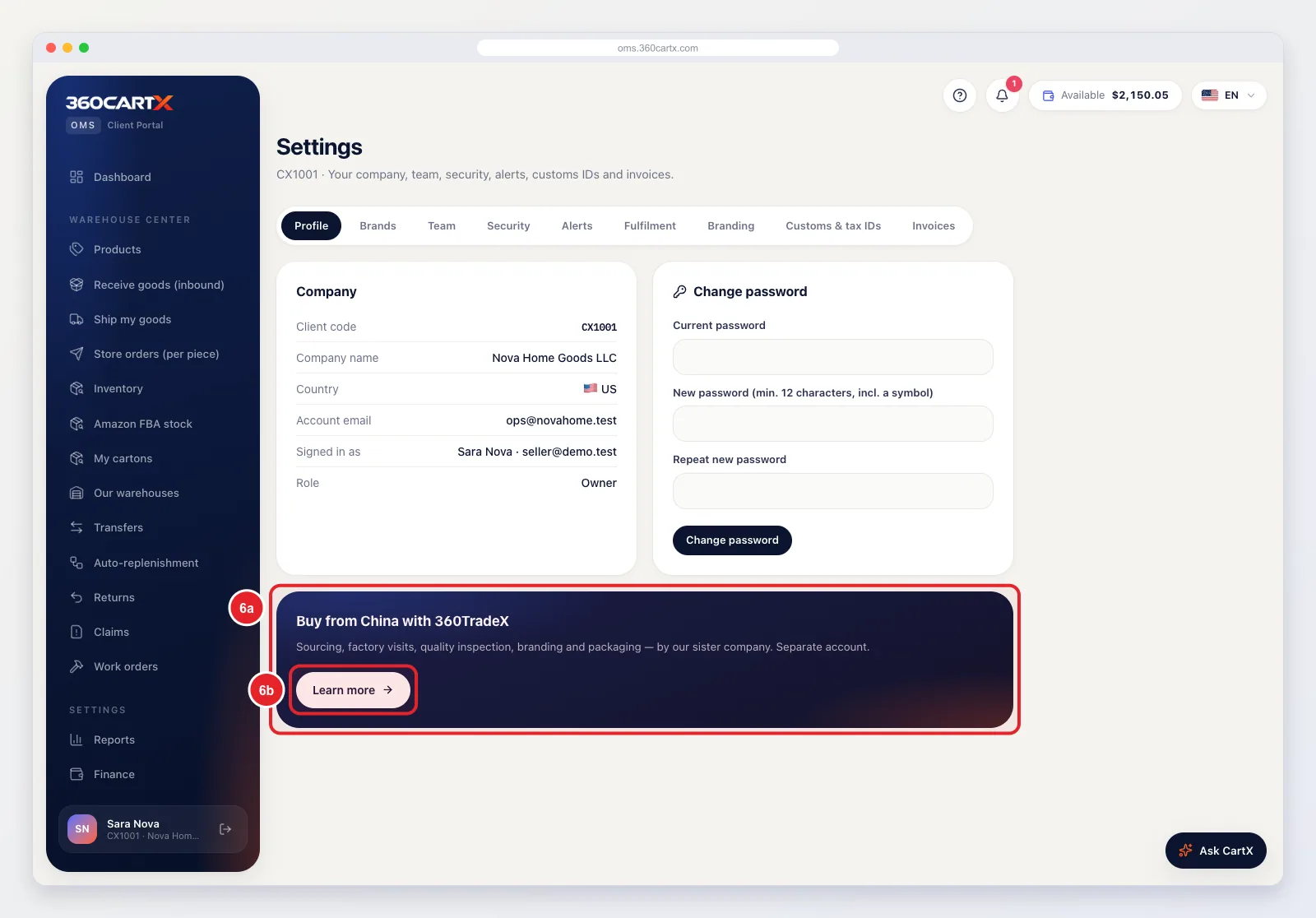
On Settings, in your profile, a dark card repeats the offer: Buy from China with 360TradeX, with a short text and a Learn more button that opens this page. The text says: Sourcing, factory visits, quality inspection, branding and packaging, by our sister company. Separate account.
- 6a Card
- 6b Learn more
Tips
- You do not need 360TradeX to use 360CartX, and the other way round. Use it when you want help with the buying side before the goods arrive at our warehouse.
- Because the accounts are separate, you sign in to each one on its own. Your 360CartX sign-in does not open 360TradeX.
- Once the goods are bought, create an inbound shipment in 360CartX as usual so our warehouse knows what to expect.
Common problems
I do not see Buy from China in the menu
Your account has a custom role. That role only shows the sections the owner switched on, and this page is not one of them. Ask the owner, or use the 360TradeX website directly.
I created a 360TradeX account but cannot sign in yet
360TradeX reviews new sign-ups before granting access and e-mails you the decision. Wait for that e-mail, and contact 360TradeX if it does not arrive.
Can I use my 360CartX password on 360TradeX?
The accounts are separate, so you create the 360TradeX account on its own website. You may use the same e-mail address, but nothing is copied from one account to the other.
The buttons did nothing
They open a new browser tab. Check if your browser blocked the pop-up and allow it for this site.
Related articles
Updated 2026-11-11
Open a ticket from Support in your portal and our team will reply.