Steps
- 1
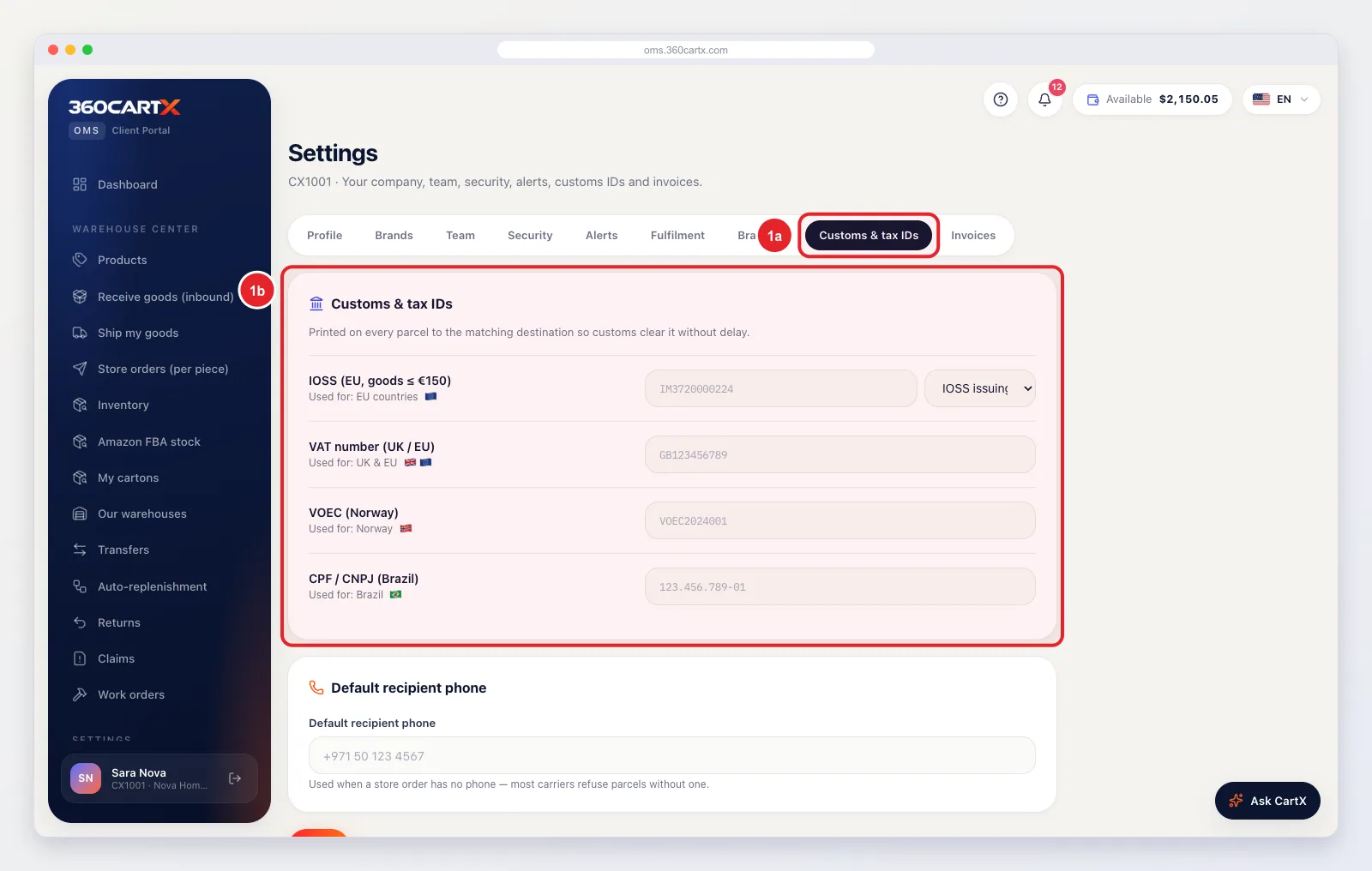
Open Settings, Customs & tax IDs
Click Settings in the left menu, then the tab Customs & tax IDs. The card repeats what it is for: Printed on every parcel to the matching destination so customs clear it without delay. A new account has all boxes empty, with an example number in grey in each one.
- 1a Customs & tax IDs tab
- 1b The card
- 2
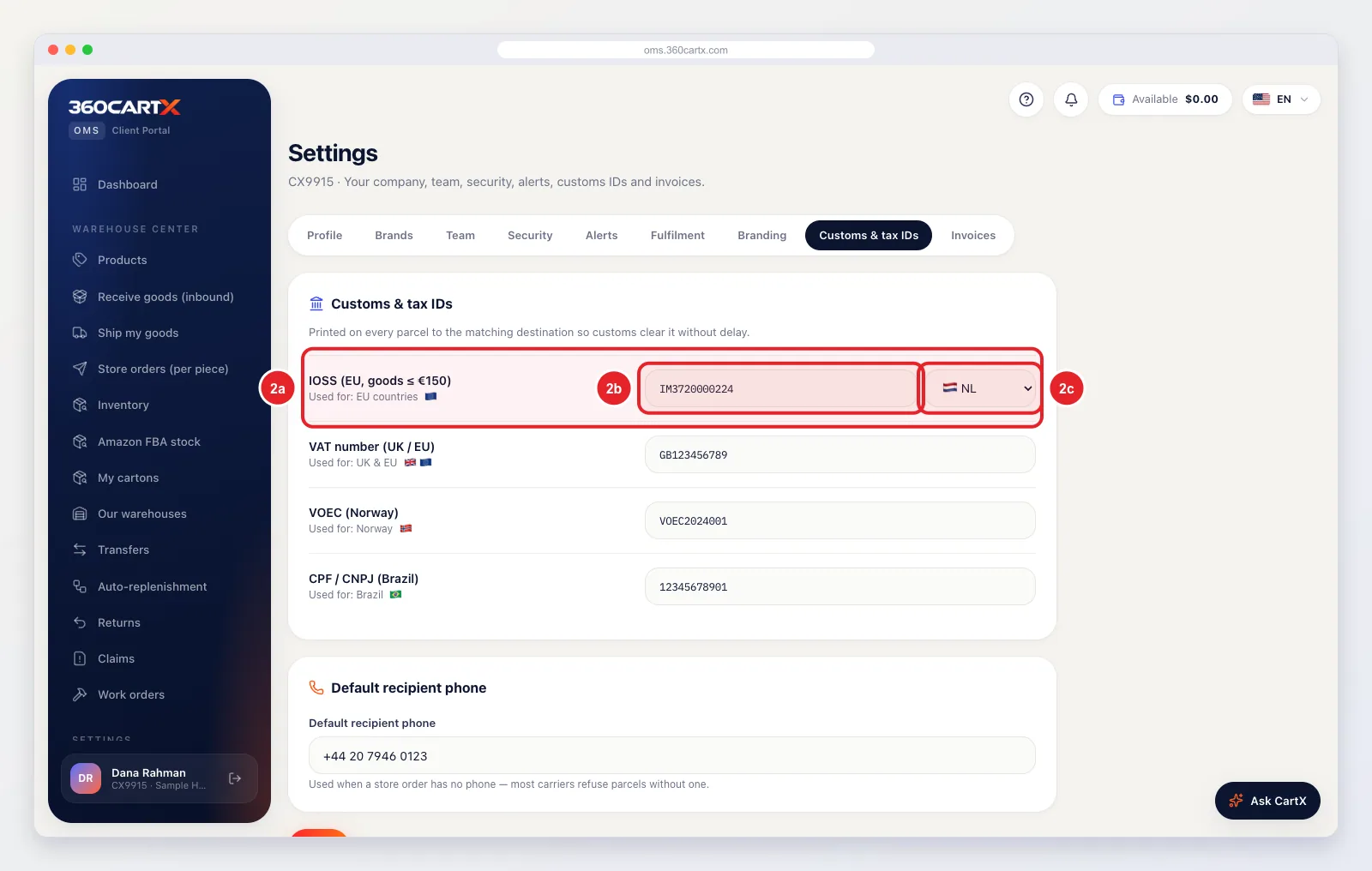
IOSS (EU, goods up to 150 euro)
IOSS is the EU's import scheme for goods worth up to 150 euro. Type your number in the first box: IM followed by 10 digits, for example IM3720000224. Then choose the EU country that issued the number in the small list next to it (the placeholder is IOSS issuing country). Under the name you can read where it is used: EU countries. Both the number and the country are needed.
- 2a IOSS row
- 2b IOSS number
- 2c Issuing country
- 3
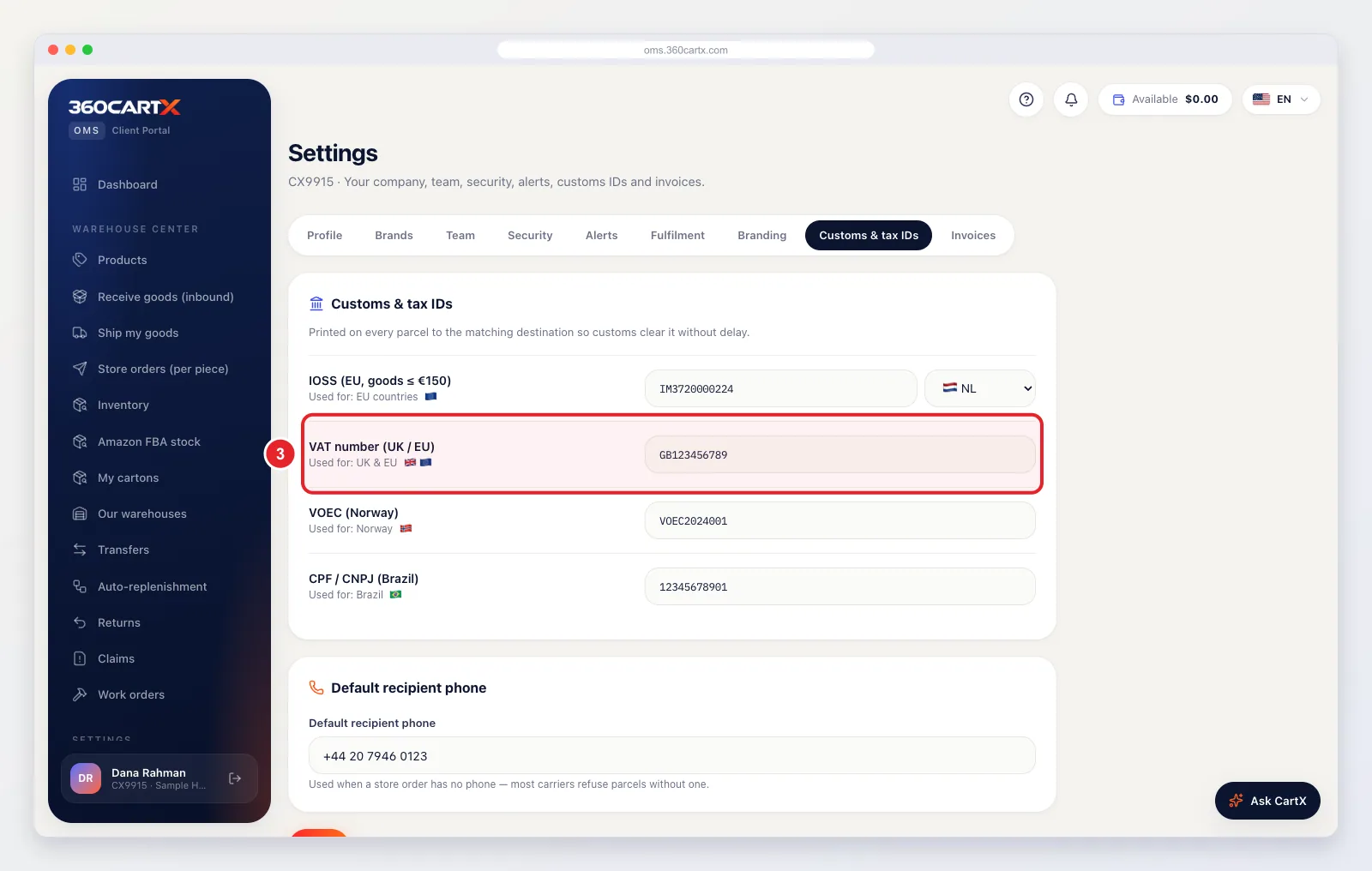
VAT number (UK and EU)
Type your VAT number with its two-letter country code first, then 6 to 13 letters or digits, for example GB123456789. The line under the name says it is used for the UK and EU.
- 4
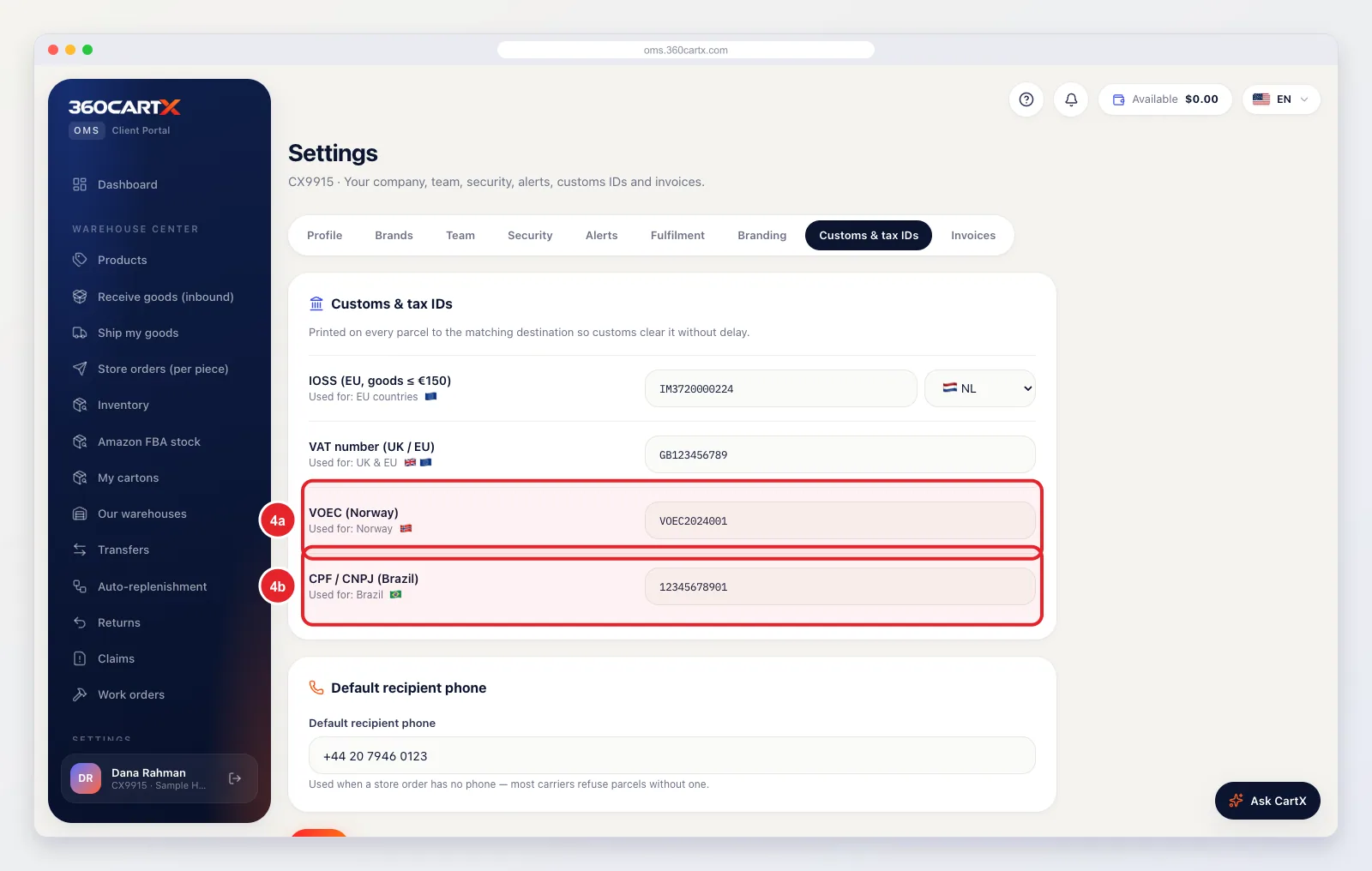
VOEC (Norway) and CPF or CNPJ (Brazil)
VOEC is Norway's scheme for low-value goods. Type 7 digits, or the same 7 digits after VOEC: VOEC2024001 and 2024001 are both accepted, and it is saved with the prefix VOEC. For Brazil, type your CPF (11 digits, for a person) or your CNPJ (14 digits, for a company). Dots, dashes and slashes are removed for you, so 123.456.789-01 works. Each row says where it is used: Norway, Brazil.
- 4a VOEC row
- 4b CPF or CNPJ row
- 5
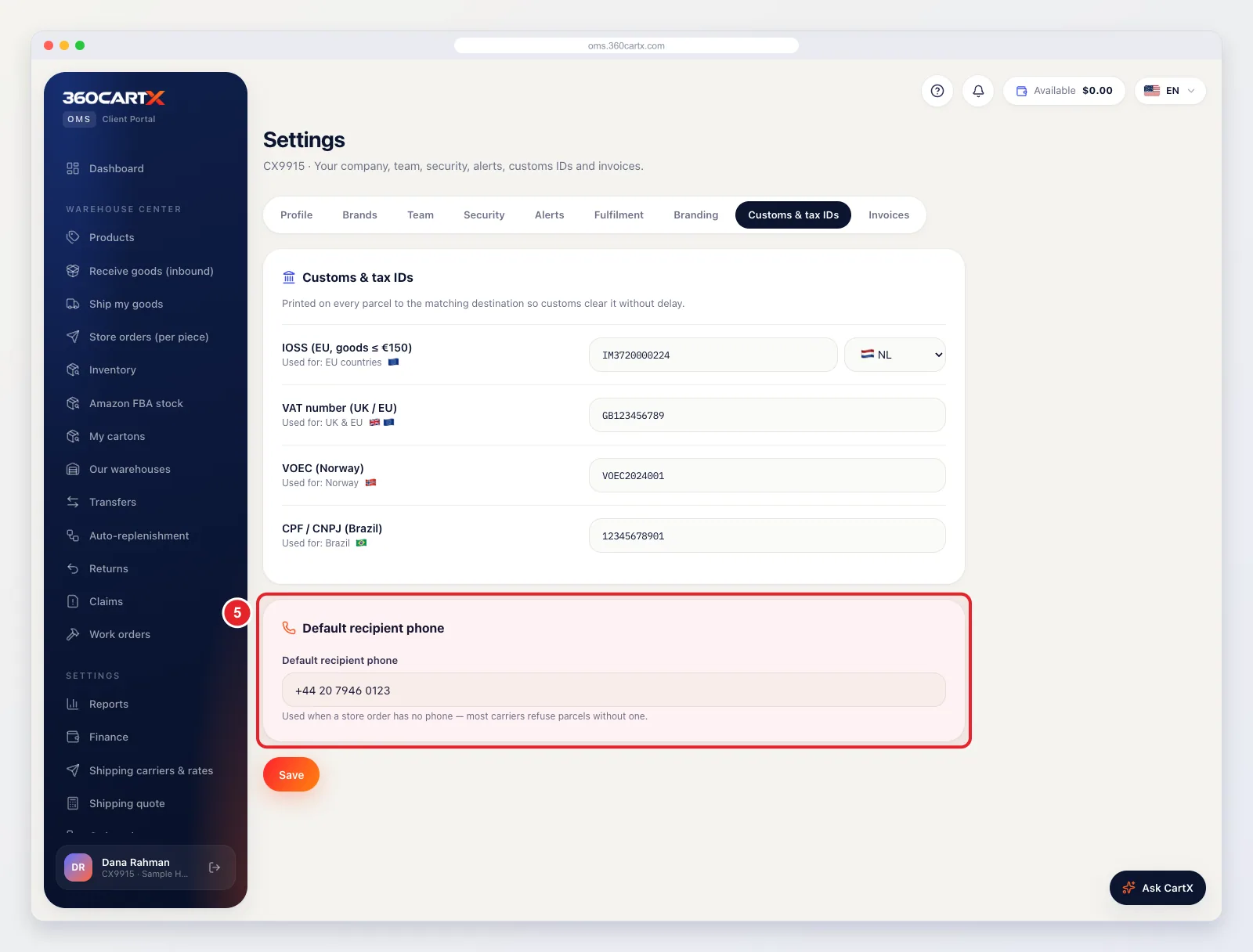
Default recipient phone
The second card, Default recipient phone, is used when a store order has no phone number: most carriers refuse parcels without one. Type a number with the country code, for example +971 50 123 4567. Digits, spaces, brackets, dashes and a leading + are accepted. It is only a fallback: the buyer's own phone is always used when the order has one. Leave it empty if you do not want a fallback.
- 6
If a number has the wrong format
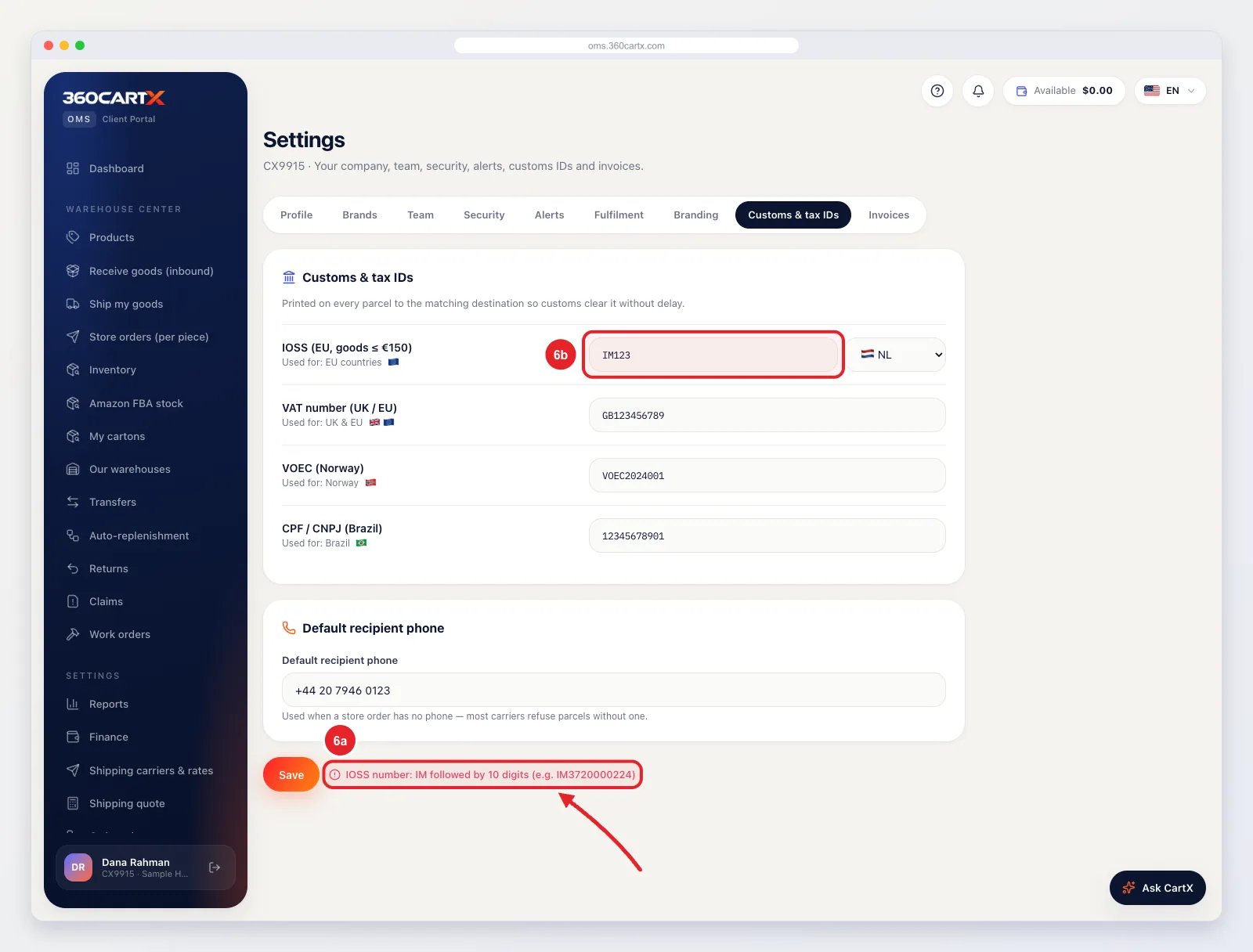
Click Save, and a number in the wrong format is refused with a red message that shows the right format, for example IOSS number: IM followed by 10 digits (e.g. IM3720000224). Nothing is saved until every box is right, so fix the box and click Save again. A value is cleaned up before it is checked: spaces are removed and letters become capitals.
- 6a Error message
- 6b IOSS box
- 7
If the phone is not valid
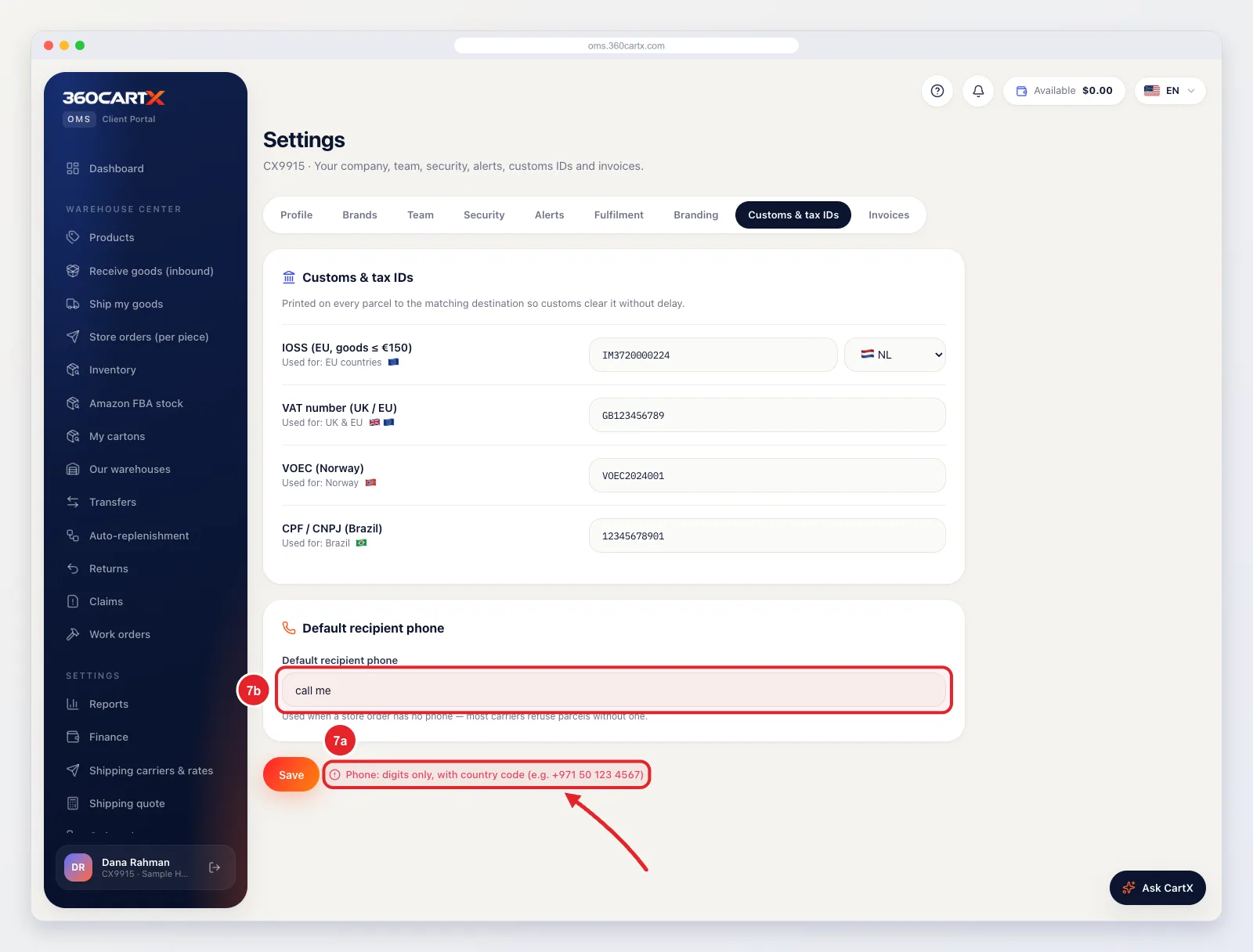
A phone with letters, or shorter than 6 or longer than 20 characters, is refused with Phone: digits only, with country code (e.g. +971 50 123 4567).
- 7a Error message
- 7b Phone box
- 8
If you cannot edit
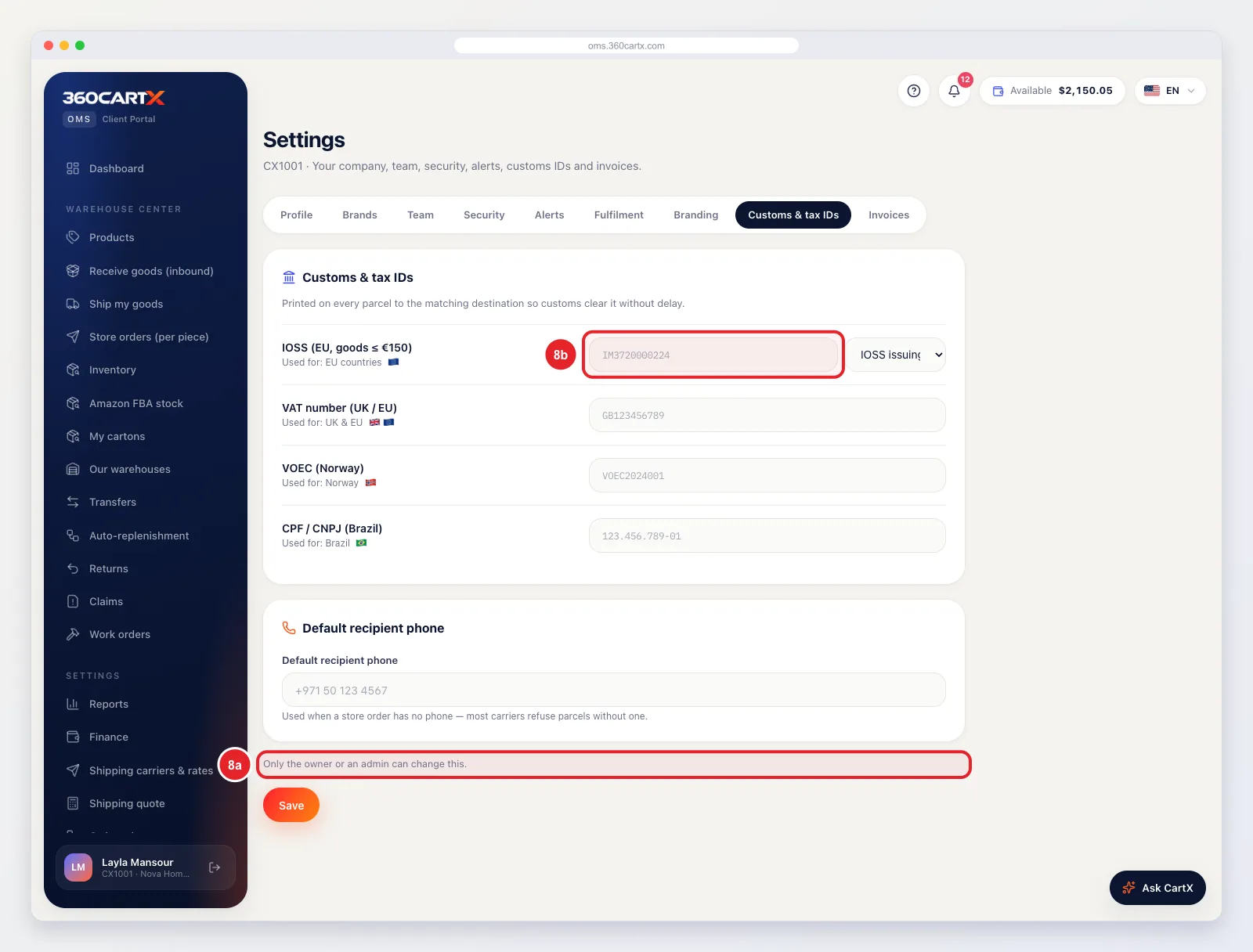
Only the owner and admins can edit this page. Finance users, operators and other roles that can open the tab see the boxes greyed out and the note Only the owner or an admin can change this. Viewers and custom roles do not see the tab at all.
- 8a Note
- 8b Greyed-out box
Terms in this article
- IOSS / VOEC: Import VAT schemes for the EU and Norway.
- DDP: Delivered duty paid: duties are in the price.
Tips
- Which number goes to which country: IOSS for the 27 EU countries, VAT for the EU countries and the UK (GB), VOEC for Norway (NO), CPF or CNPJ for Brazil (BR). For every other destination, nothing is attached. An EU parcel can carry both an IOSS and a VAT number.
- Save the numbers you really have. Never invent a number: a wrong number can delay the parcel.
- Use the same legal company name as the one registered for these numbers. Invoice details for your own billing are separate: see Invoices.
- After you save, new parcels use the new numbers.
- For import duties and taxes paid at the time of shipping, see DDP duties.
Common problems
IOSS number: IM followed by 10 digits (e.g. IM3720000224)
The IOSS number must be exactly IM and ten digits, with no other characters.
Choose the EU country that issued the IOSS number
You typed an IOSS number but left the country list empty or chose a country outside the EU. Pick the EU country that gave you the number.
VAT number: country code + 6–13 characters (e.g. GB123456789)
The VAT number must begin with two letters (the country), followed by 6 to 13 letters or digits.
VOEC number: 7 digits (e.g. VOEC2024001)
Type 7 digits, with or without the word VOEC in front.
CPF has 11 digits, CNPJ has 14
Count the digits: 11 for a CPF, 14 for a CNPJ. Dots, dashes and slashes do not count.
Only the owner, an admin or finance can change this
This appears if your role cannot save. Ask the owner or an admin to enter the numbers.
Related articles
Updated 2026-11-12
Open a ticket from Support in your portal and our team will reply.