Steps
- 1
Spot held orders
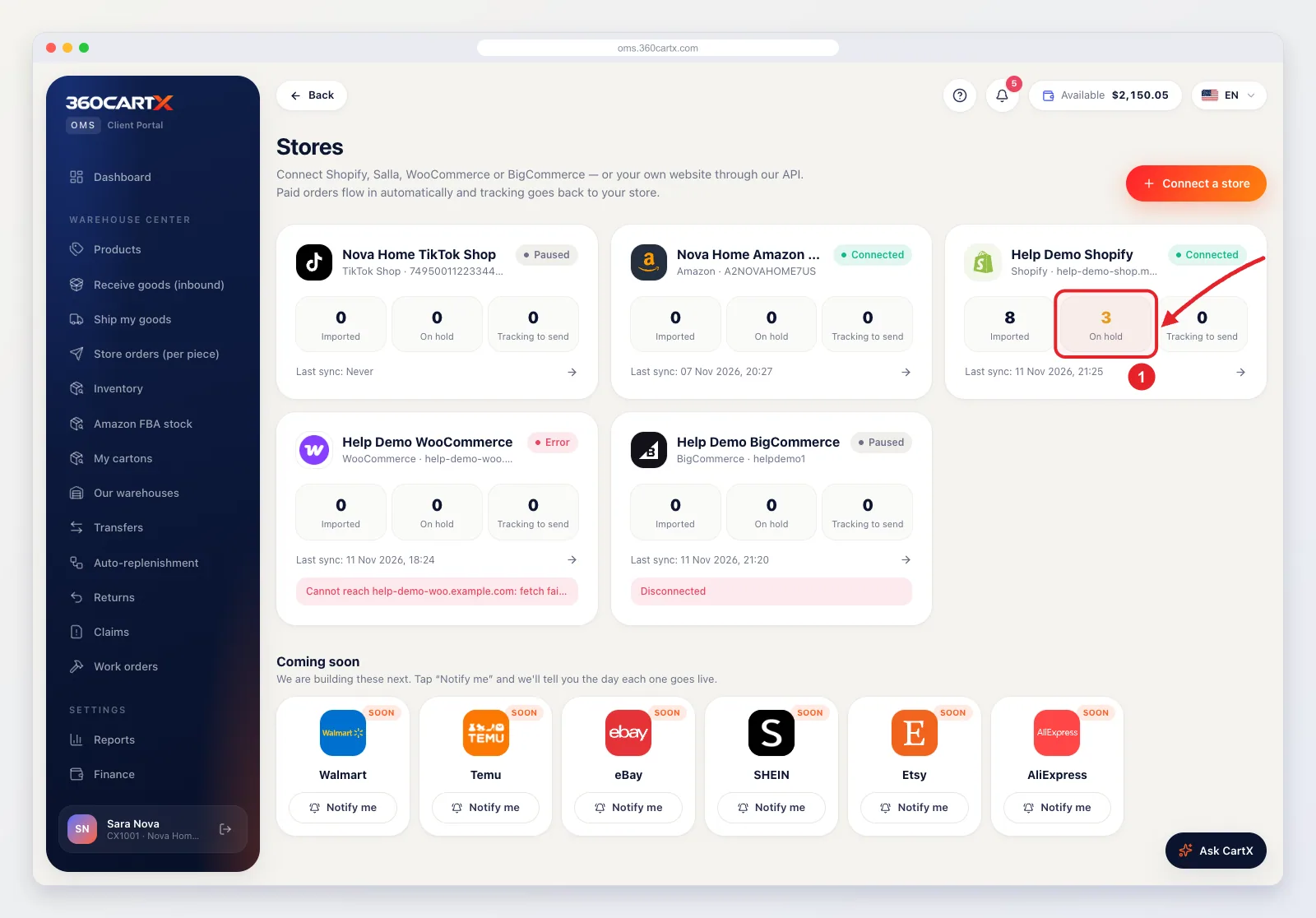
On the Stores page the middle box of every store card is On hold. It turns amber when it is above 0. Here the Help Demo Shopify card shows 3. You also get a bell notification for each held order, for example Order #3012 is waiting for a product match.
- 2
The Orders on hold box
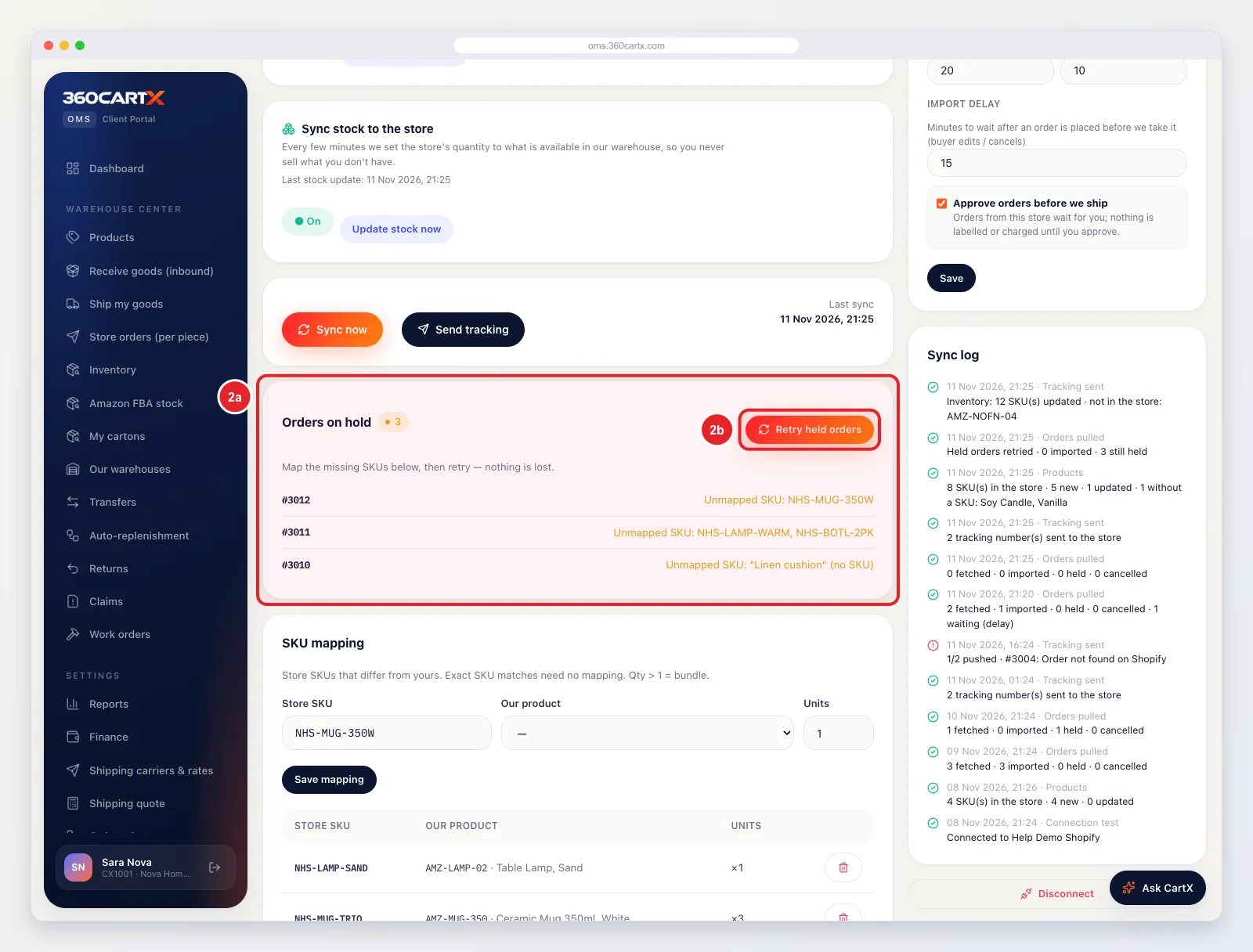
Open the store. When something is on hold a box Orders on hold appears with the number of orders in an amber badge. It says to map the missing SKUs below and then retry, and that nothing is lost. Its button Retry held orders is at the top right.
- 2a Orders on hold
- 2b Retry held orders
- 3
Read the reasons
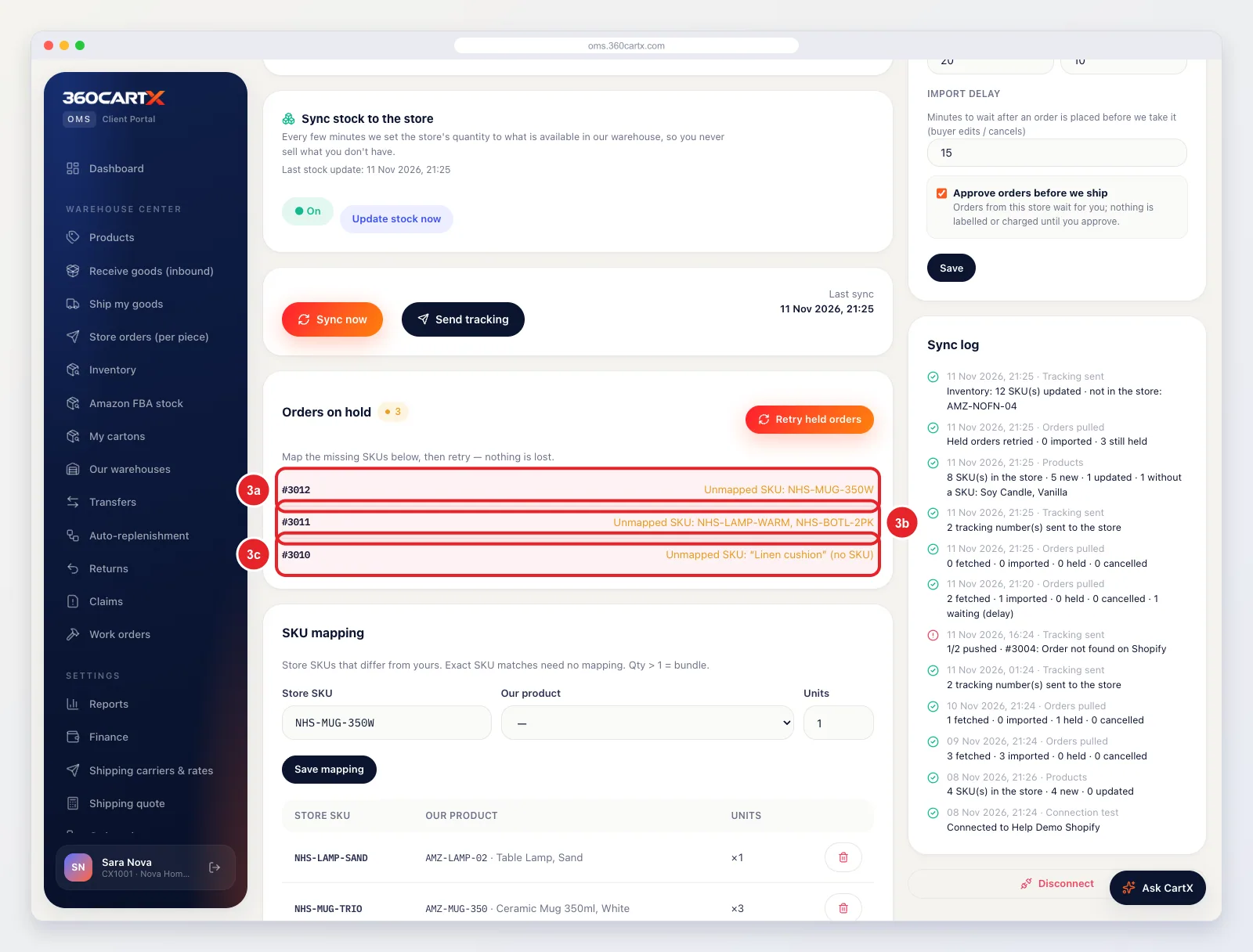
Each row is the order number from the store and, in amber, the reason. Unmapped SKU: NHS-MUG-350W means a line of the order has a SKU that is not the SKU of any product of yours and has no mapping. Several missing SKUs are listed with commas. A line the store sent without any SKU shows the product name between quotes and (no SKU), for example Unmapped SKU: “Linen cushion” (no SKU). Mapping works by SKU, so such an order cannot be released here: contact support with the order number, and give every variant a SKU in your store from now on.
- 3a One missing SKU
- 3b Two missing SKUs
- 3c No SKU
- 4
Fill in the mapping form
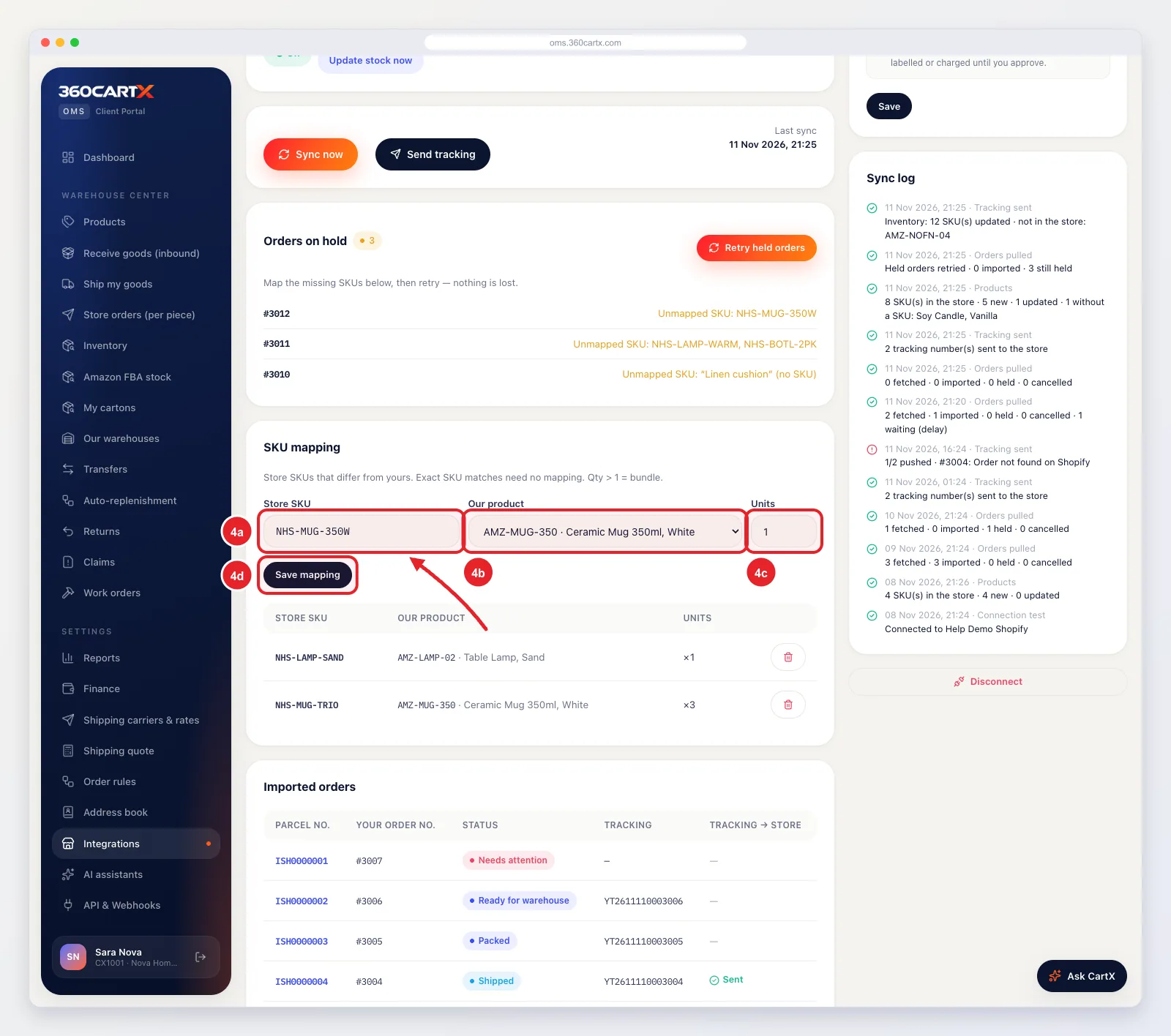
The box SKU mapping has three fields and a button. Store SKU is the SKU used in your store. It starts filled with the first missing SKU of your held orders (here NHS-MUG-350W) and suggests the others while you type. Our product lists all your products as SKU · name: pick AMZ-MUG-350 · Ceramic Mug 350ml, White. Units is how many of our product one store unit means, 1 to 100. Then click Save mapping.
- 4a Store SKU
- 4b Our product
- 4c Units
- 4d Save mapping
- 5
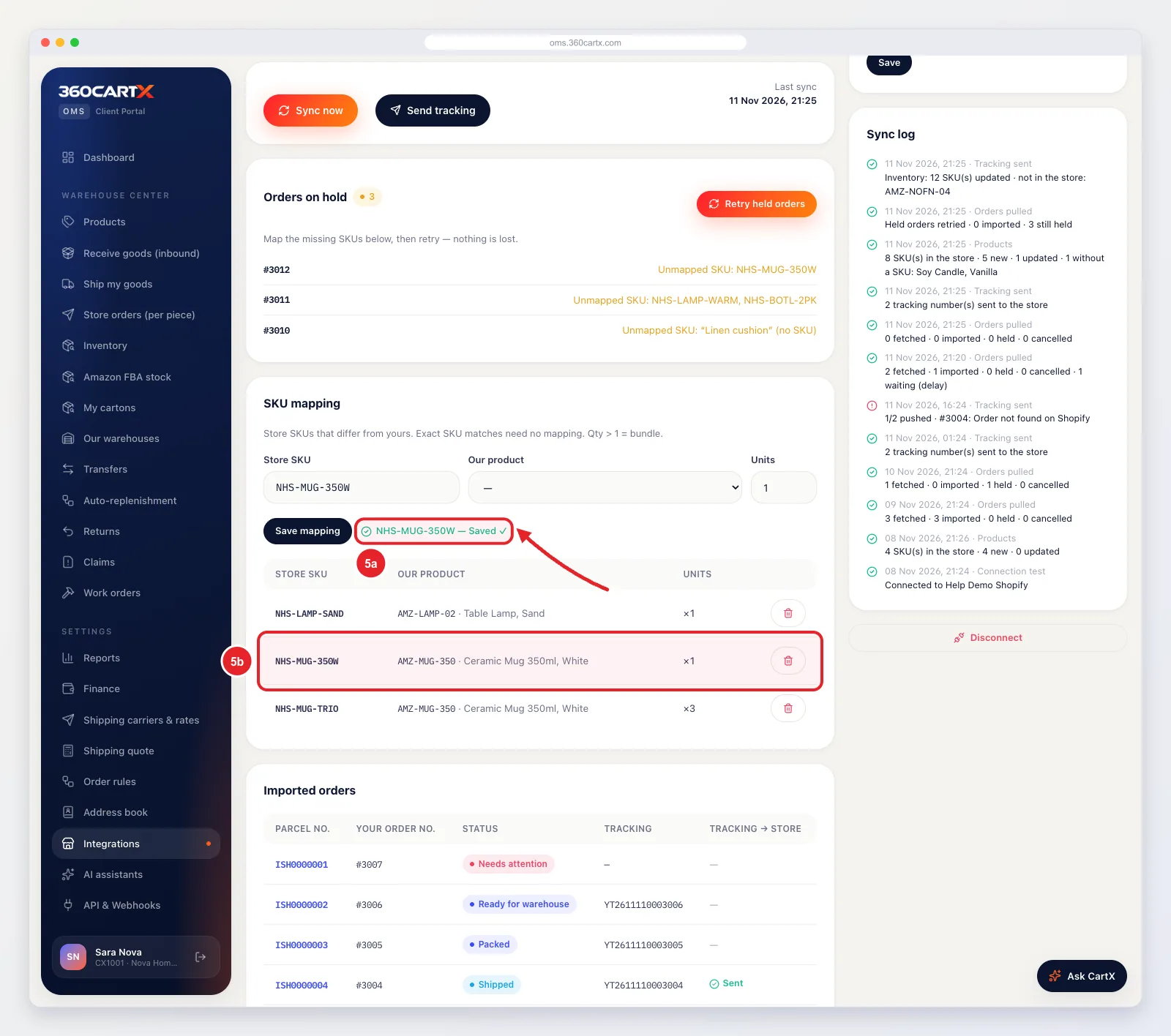
The mapping is saved
A green line shows the store SKU followed by Saved and a tick, and the form is cleared. The mapping is added to the table under the form. If the store SKU already had a mapping, saving again replaces it. Store SKU and Our product are required: the form does not send while one of them is empty.
- 5a Saved
- 5b New mapping
- 6
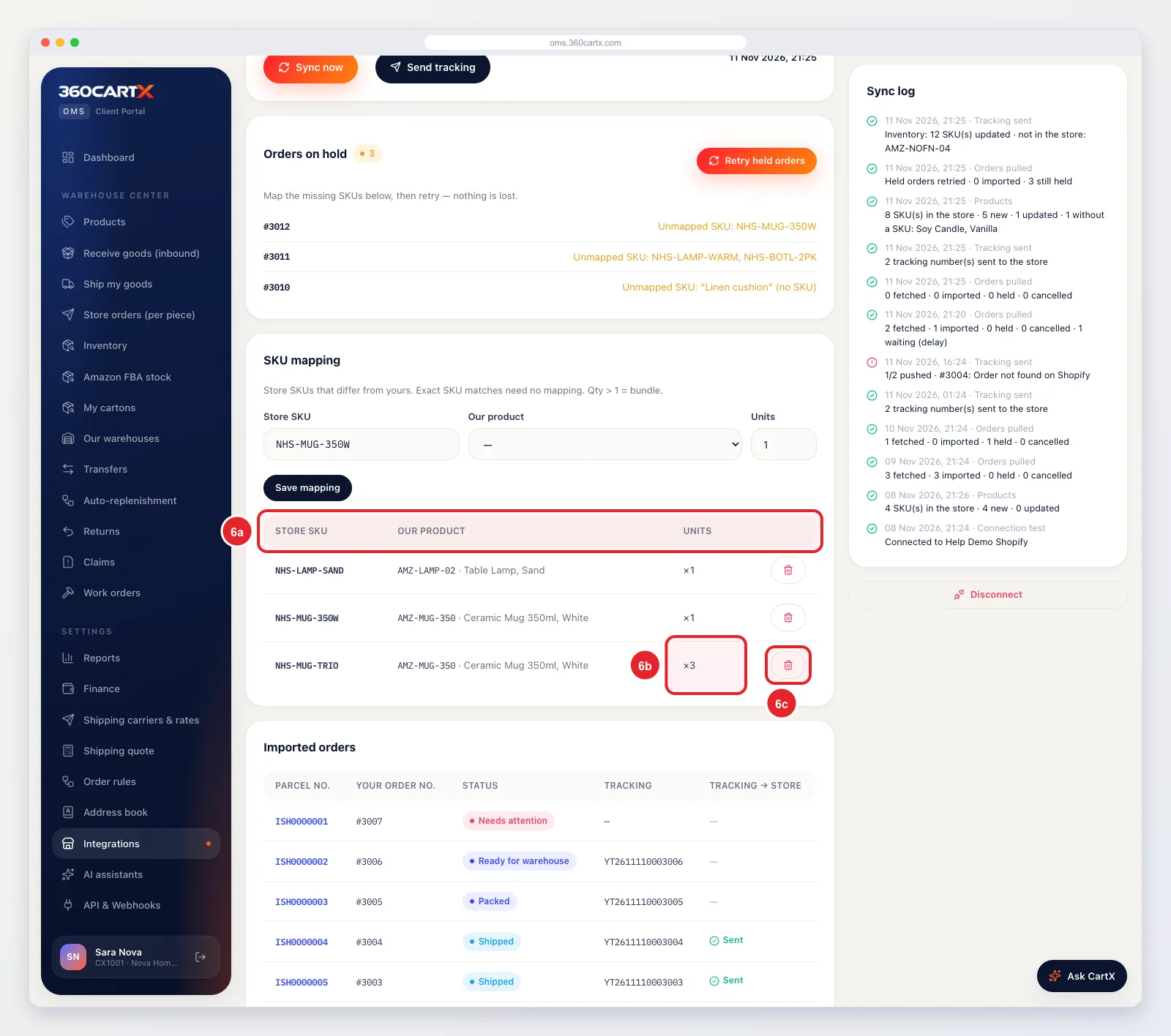
Your mappings
The table lists every mapping: Store SKU, Our product and Units, written ×1 or ×3. The red bin at the end of a row removes the mapping at once. Removing it does not change orders already imported, but new orders with that SKU go on hold again. SKUs that are exactly the same in the store and here need no mapping.
- 6a Columns
- 6b Units
- 6c Remove
- 7
Bundles and packs
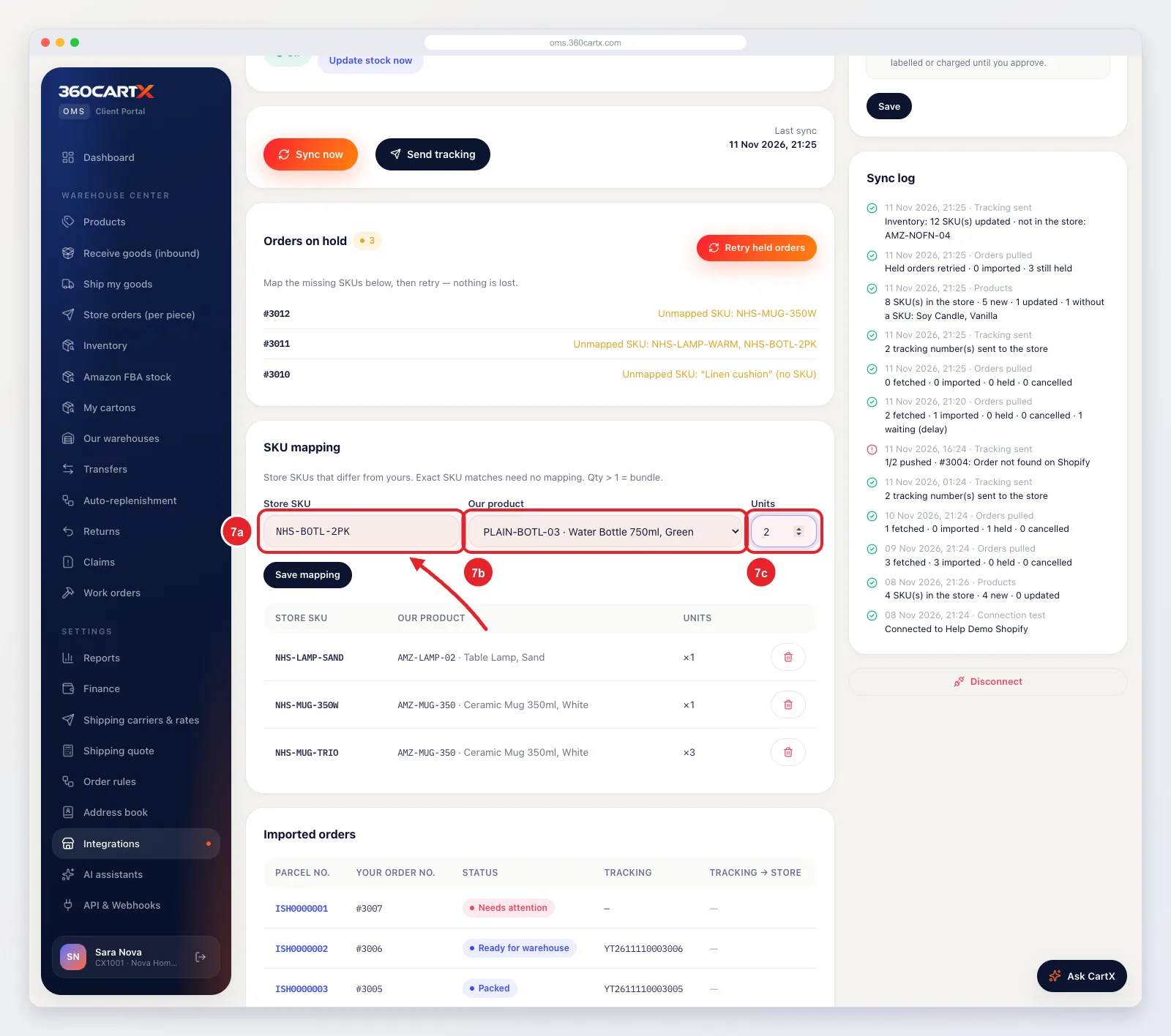
Set Units above 1 when one store item is several of your units. With NHS-BOTL-2PK pointing to PLAIN-BOTL-03 times 2, an order for 3 of the 2-packs takes 6 bottles from stock. A mapping points to one product only. For a set made of different products, create a bundle product first and map the store SKU to it. The same mapping also tells stock sync how many to show: the store gets the available stock divided by the units, rounded down.
- 7a Store SKU
- 7b Our product
- 7c Units
- 8
Retry held orders
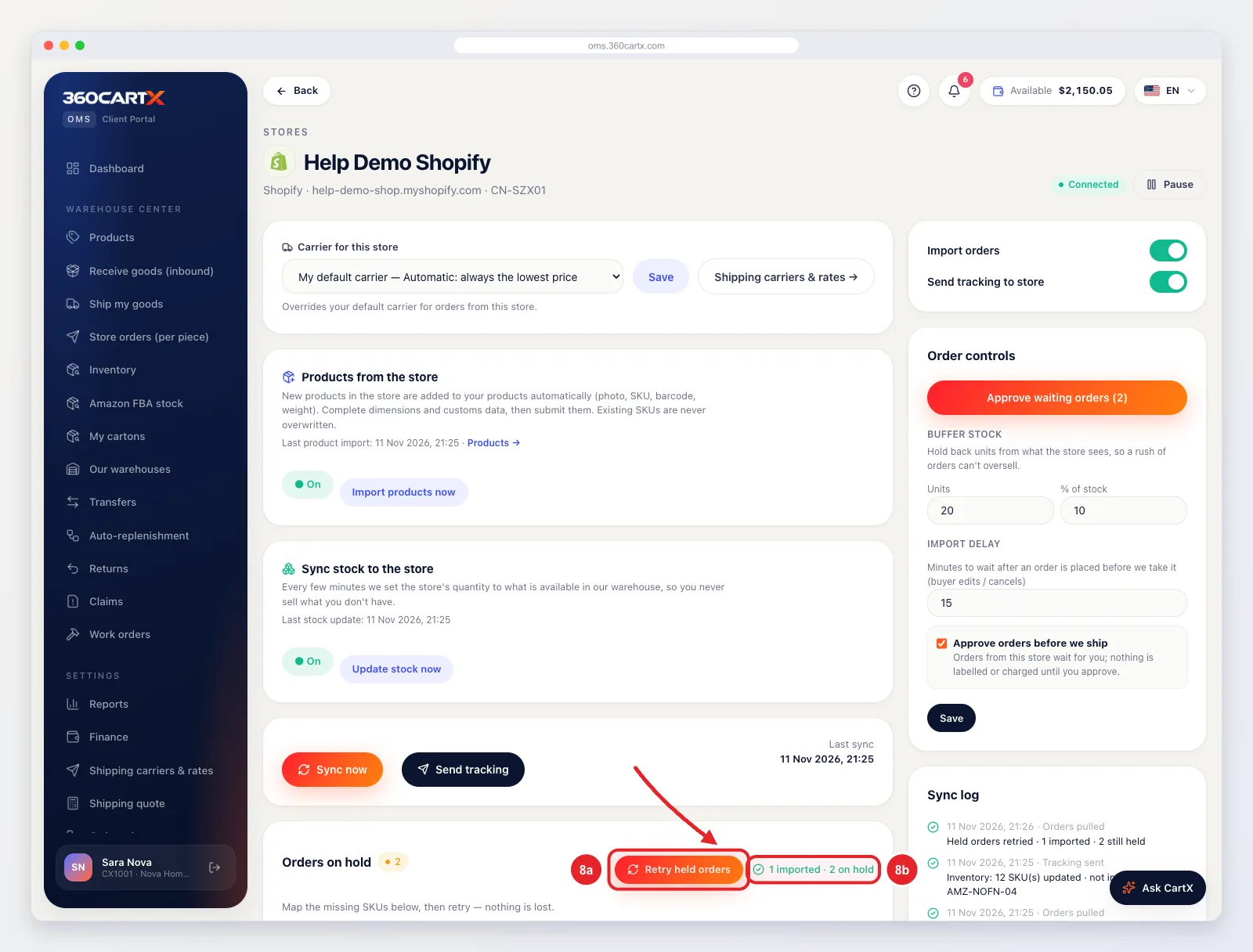
Click Retry held orders. We re-read the saved copy of each held order (nothing is asked from the store) and import the ones that now match. The answer is, for example, 1 imported · 2 on hold. The imported order disappears from the list and appears under Imported orders; the others stay with their reason. The Sync log writes Held orders retried.
- 8a Retry held orders
- 8b Result
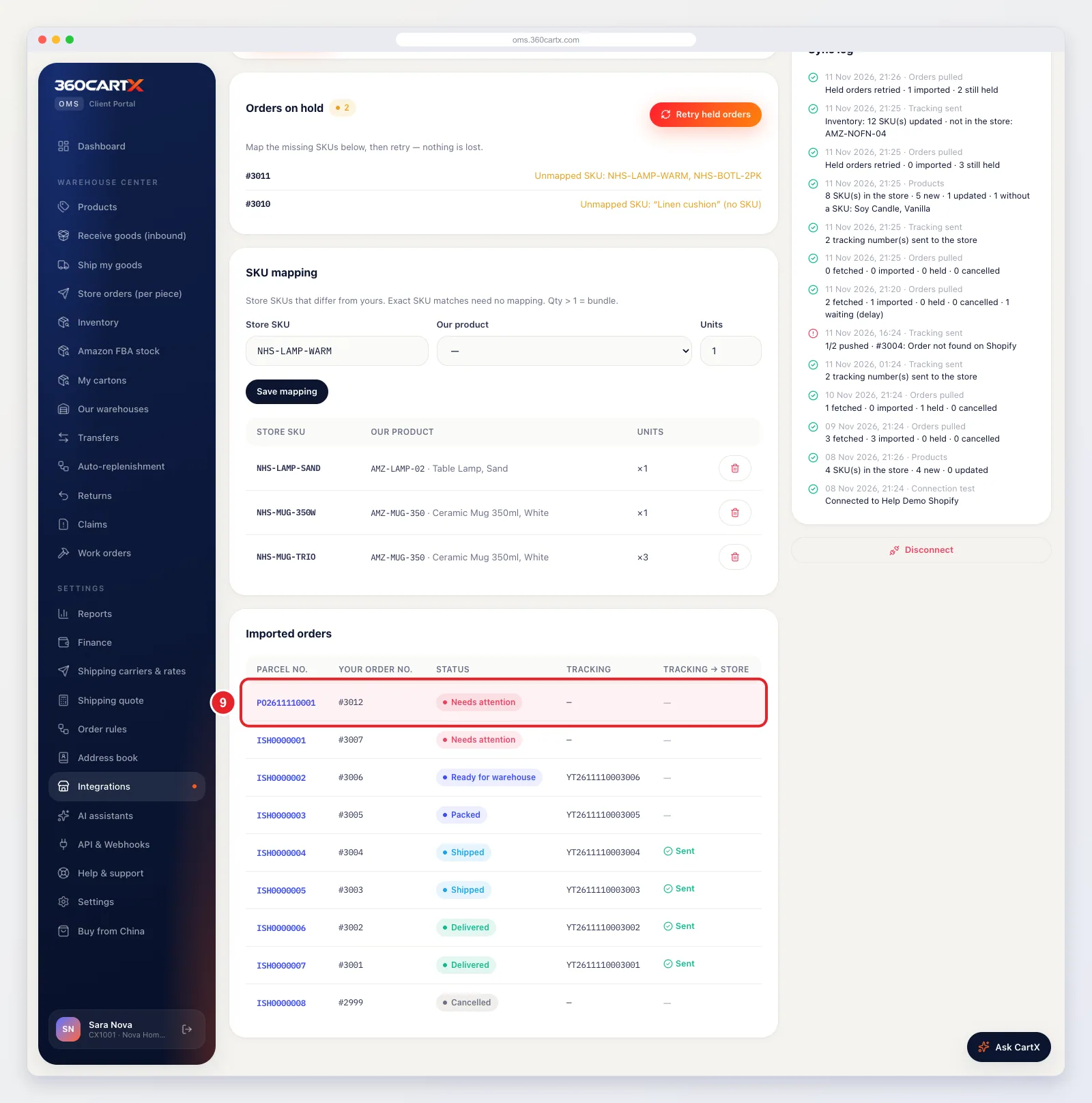
- 9
Where the order goes next
A retried order is processed like any other order: it gets its label and goes to the warehouse, or it waits for your approval when manual approval is on for this store, as here, where its status is Needs attention until you approve it. If something else is missing, for example the product is not approved yet, the order stops in Needs attention with the reason: see Fix an order that needs attention.
Terms in this article
- SKU: Your own product code.
Tips
- The easiest fix is to use the same SKU in your store and in 360CartX. SKUs are compared without regard to upper or lower case, so nhs-mug and NHS-MUG are the same.
- Import products now creates a product for every SKU of the store and then retries the held orders for you. See Import products from your store.
- Map once per store SKU: later orders with the same SKU import by themselves.
- Mappings belong to one store. Two stores with the same SKU need a mapping each.
- A held order is kept as it was when we first read it. If the buyer changed the order afterwards, the next sync that sees the change updates it.
Common problems
Unmapped SKU: and a SKU
Map that SKU to one of your products (steps 4 and 5), or create a product with exactly that SKU, then click Retry held orders.
Unmapped SKU with a name in quotes and (no SKU)
The store sent the line without a SKU, so there is nothing to match, and a mapping cannot fix it. Contact support with the order number. For the next orders, give the product a SKU in your store.
Buyer address not available: Amazon must approve shipping data access for this app
This Amazon order was read without the buyer's address, so it cannot ship. Mapping does not help. See Connect Amazon, and contact support if the approval is missing.
The Save mapping button does nothing
Store SKU or Our product is still empty, and the browser shows which one. Fill both in.
Retry says 0 imported and the same count on hold
The orders still have a missing SKU. Check each reason in the list: an order with two missing SKUs stays held until both are mapped.
Related articles
Updated 2026-11-11
Open a ticket from Support in your portal and our team will reply.